
 Doc Summary
How to Move Divisions around and restructure the tree.
Accessing Groups #
Navigate to Setup by selecting the spanner at the bottom left,

Select Groups,
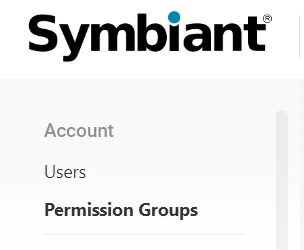
Select the Permission Group,

The divisional structure of your group will be shown on the right-hand side.
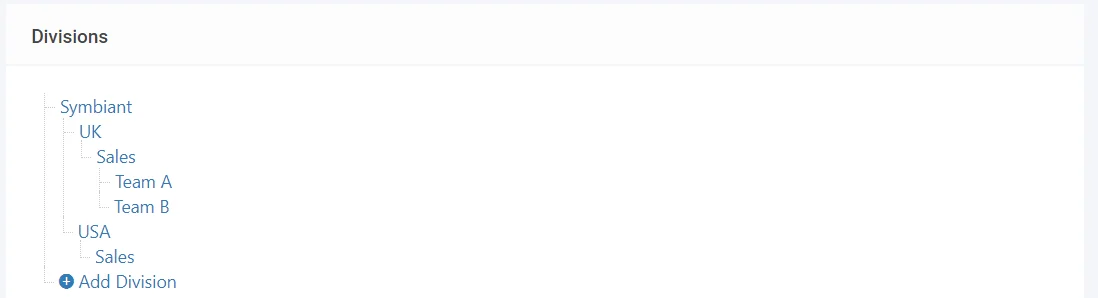
Restructuring your Divisions #
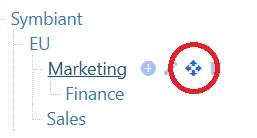
To move a Division hover over the Name, and four icons shall appear,
Left to Right there are:
- Add Subsidiary
- Edit Division
- Move Division
- Delete Division
Hovering your mouse over the third Icon shall allow you to move the division.
When holding the left mouse button down, you can drag the current division to another root or subsidiary division.
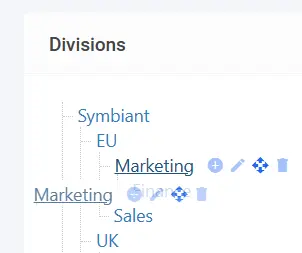
When you let go of the left mouse button a warning shall come up asking if you’d like to move x division to y division.

Selecting, Yes, Move! will then move the Division and update any records that require updating.
Feature Explained Further #
Using these Divisional Features enables the restructuring of entire Subsidiarys and Children of Divisions.
You can move a single-child division or an entire subsidiary (Bringing all the Children).
There is no limit or restriction on how many divisional moves can be made.
Critical Note: Deleting a Division will remove it from any Records that are currently connected.