
 Doc Summary

Why a risk is missing from the Register Risks dashboard, and how to fix it.
Applies to: All users · Module: Register Risks
The Risk Has No Register #
The Register Risks dashboard only shows risks that have a register. Risks created without one, for example from a workshop or in the Risk Universe, are kept in the Risk Universe only. If you cannot pick a register because the list is empty, see Creating a Risk Register.
Finding the Risk #
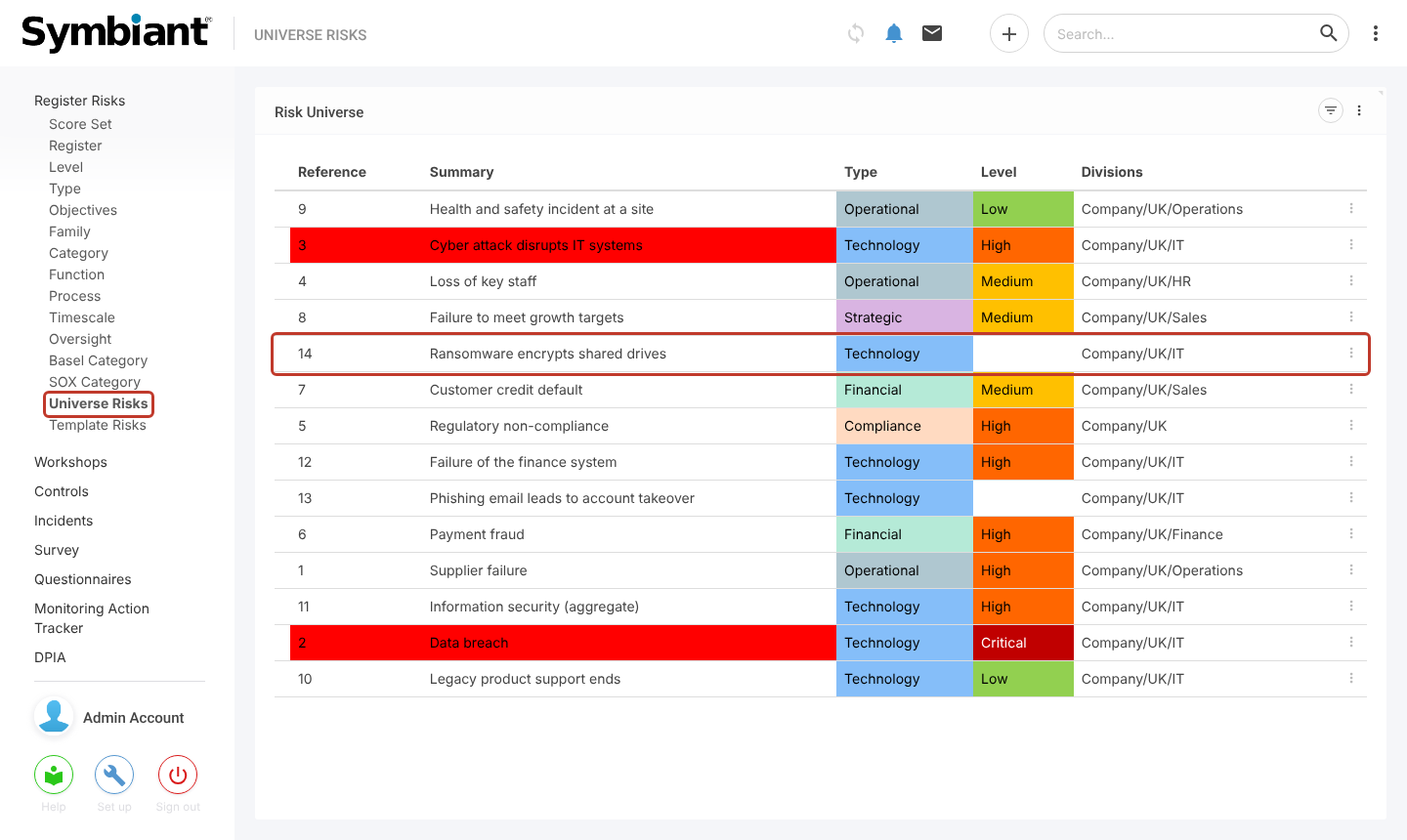
Select Universe Risks under Register Risks in the left-hand menu. This list shows every risk, with or without a register. Find the missing risk and open it.
Adding a Register #
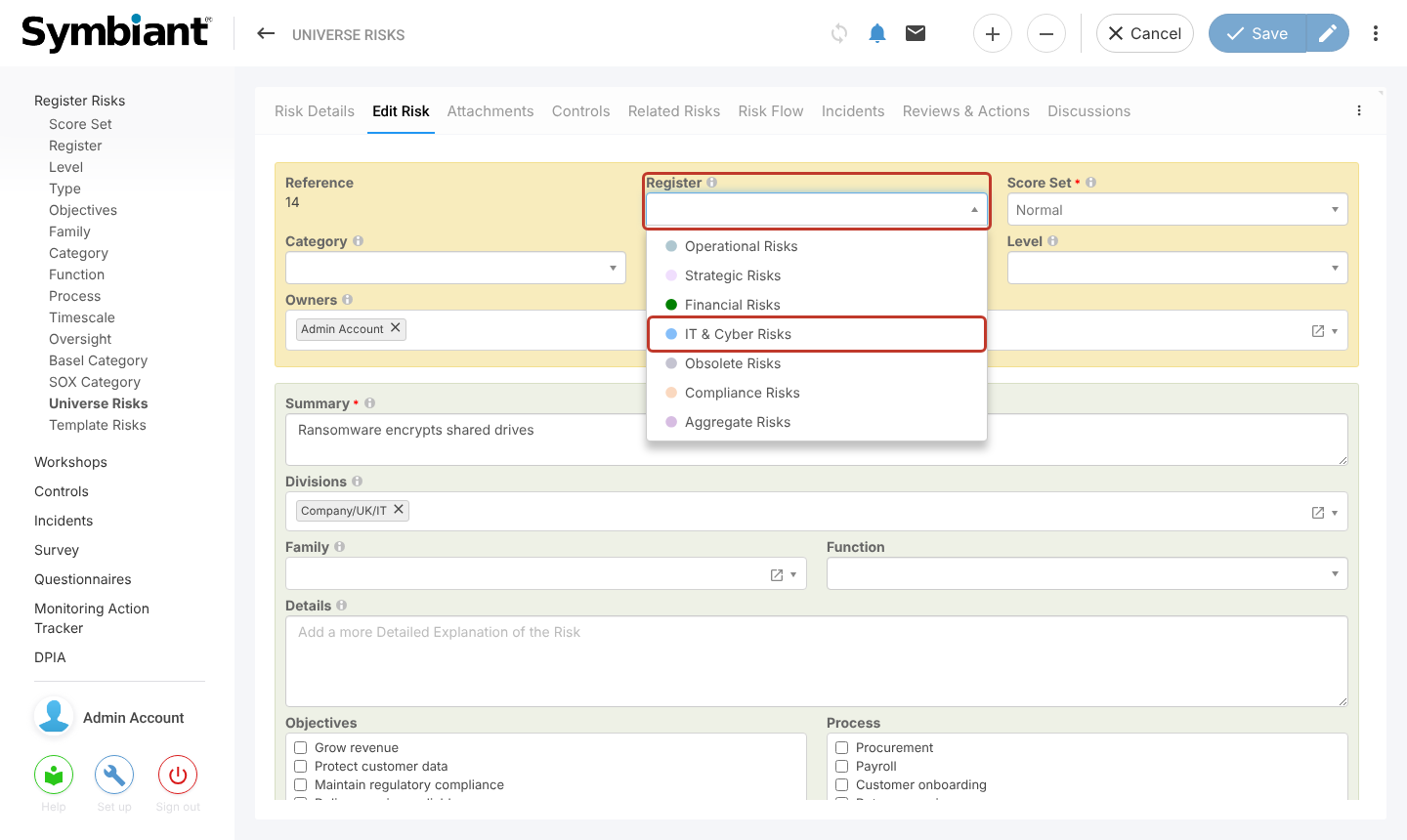
Open the Edit Risk tab, choose a Register, and save. The risk then appears on the Register Risks dashboard.
Other Reasons #
- Divisions: you only see risks in divisions you have access to. Ask an admin to check the risk’s Divisions and your user’s divisions.
- Filters: a filter may be applied to the dashboard. Clear it with the undo arrow on the chart or the filter options.


