
 Doc Summary

How to use a template score set to create new risk score sets.
Applies to: Admins · Module: Register Risks
Opening a Template #
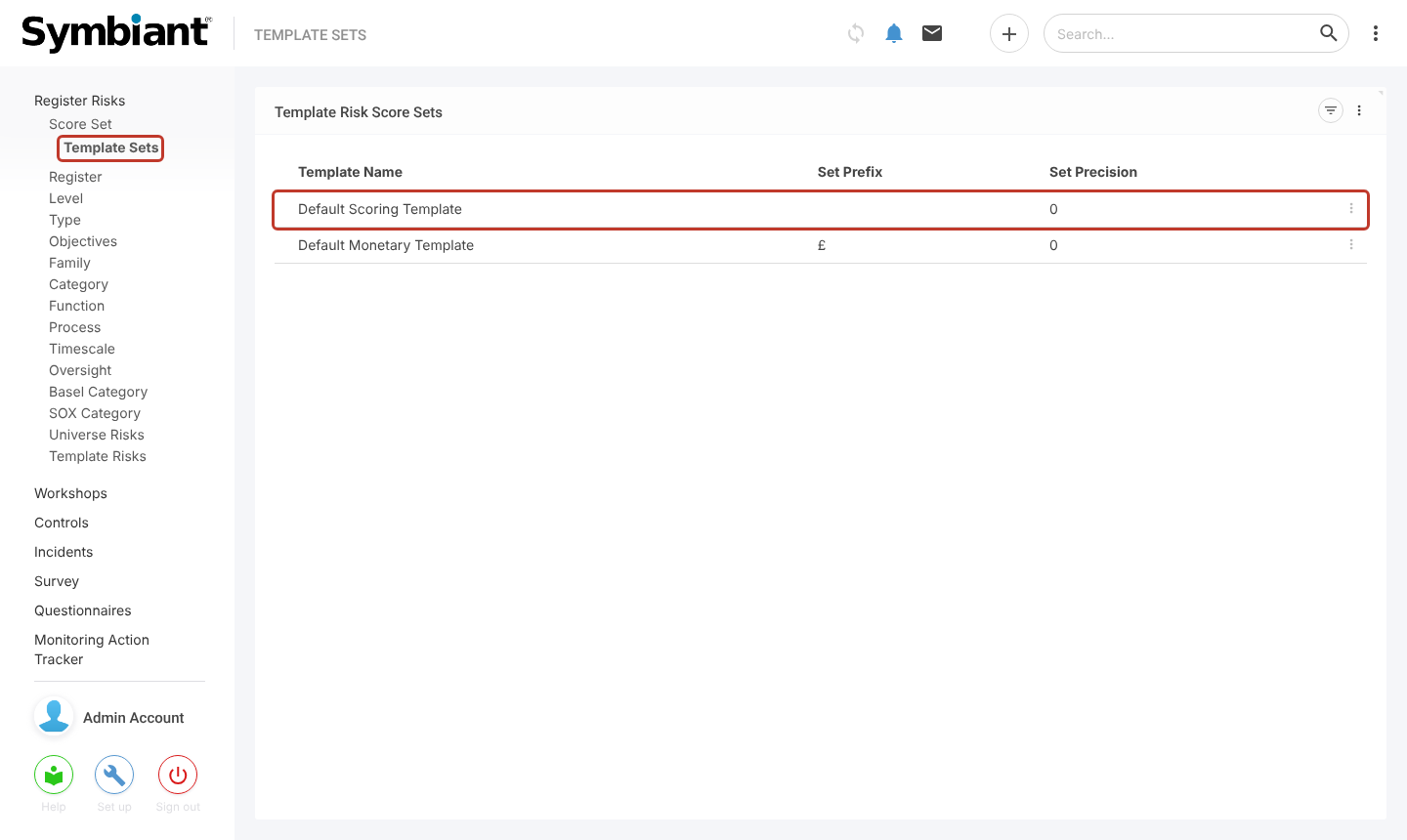
In the left-hand menu, select Register Risks, Score Set, then Template Sets. Select a template. Your system comes with templates already set up, here Default Scoring Template and Default Monetary Template.
Changing the Template #
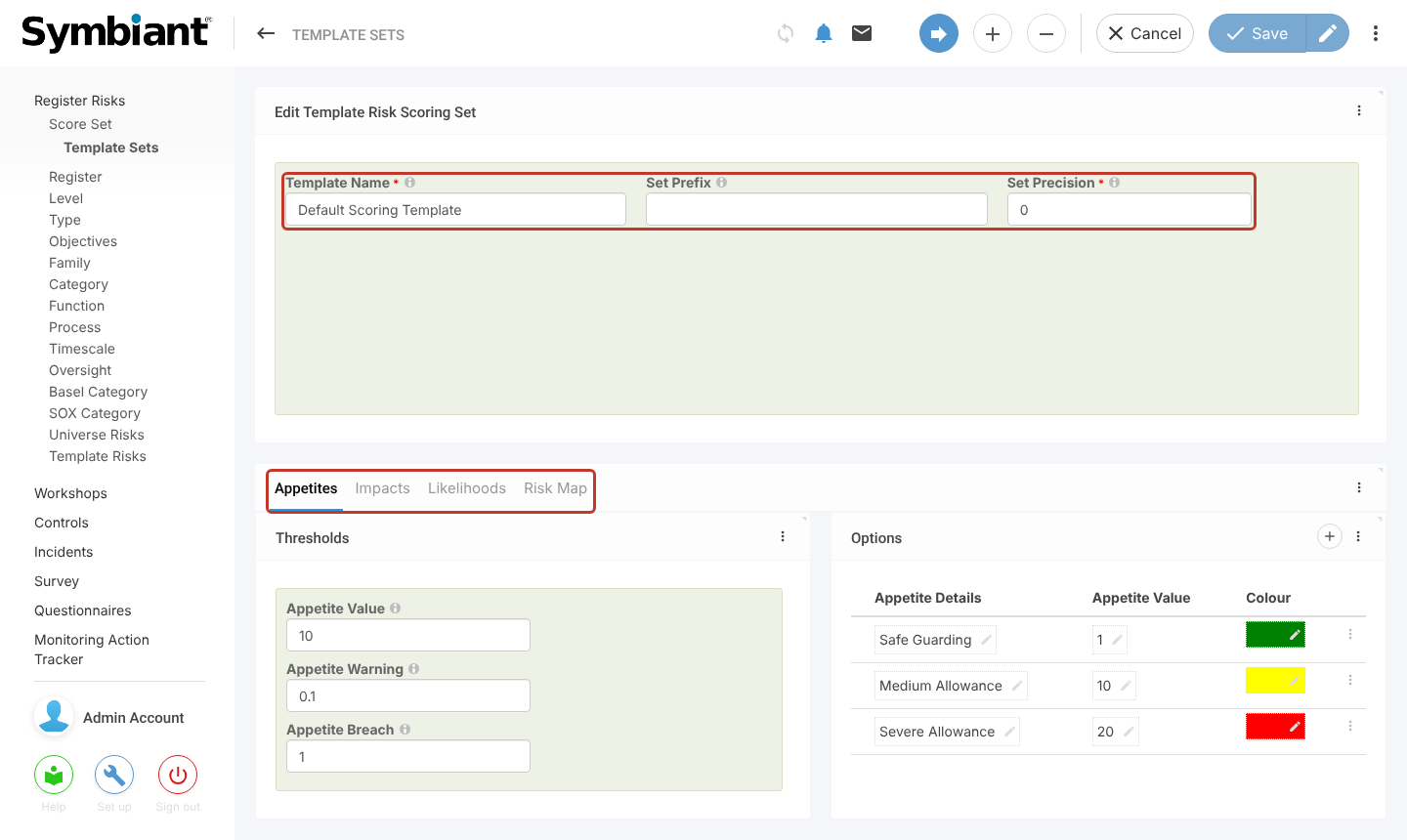
A template has the same settings as a score set: Template Name, Set Prefix and Set Precision, and the Appetites, Impacts, Likelihoods and Risk Map tabs. Change them in the same way as described in Modifying a Risk Score Set, then save.
Changing a template does not change score sets already created from it.
Creating a Score Set from the Template #
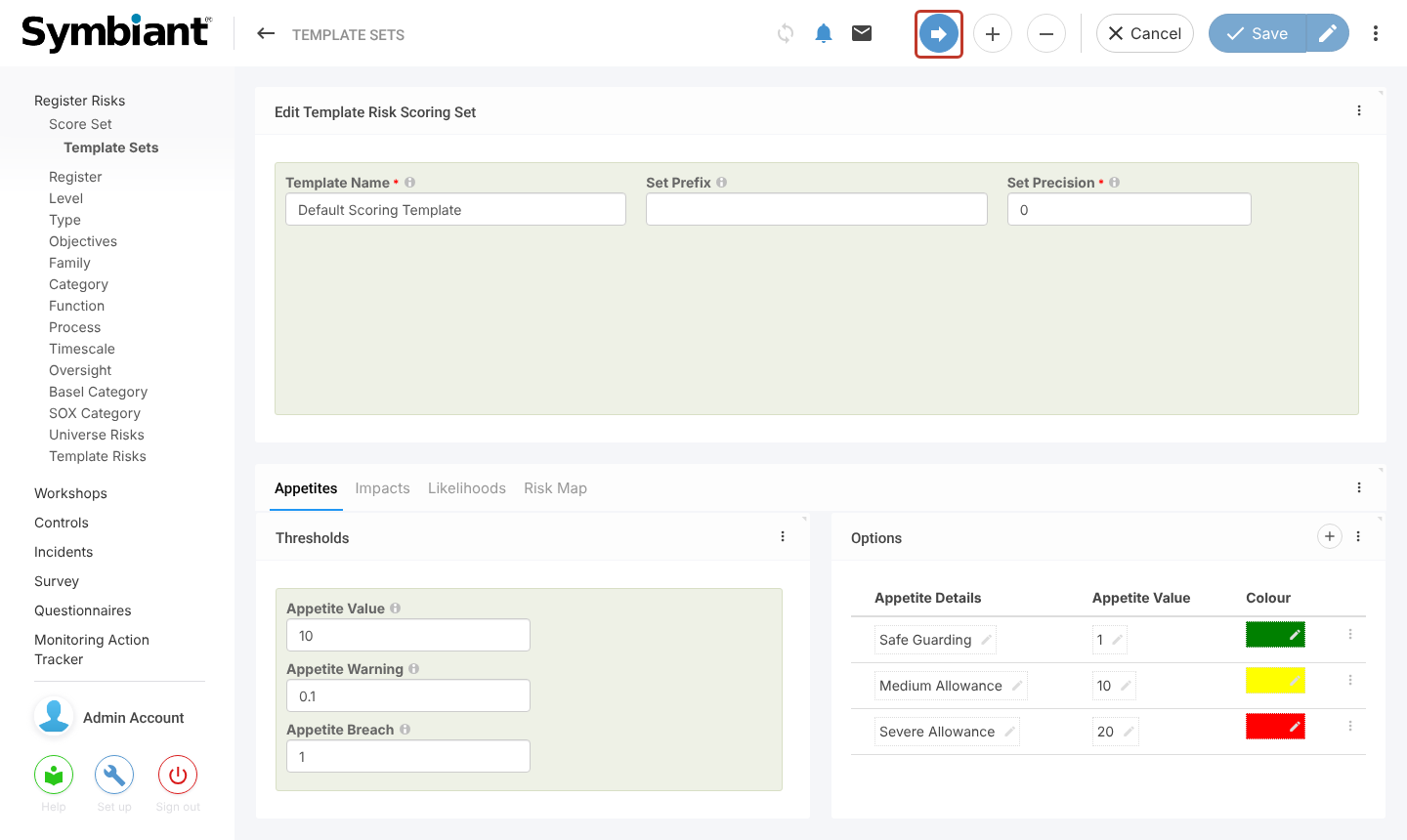
With the template open, select the blue arrow (Create From) at the top right.
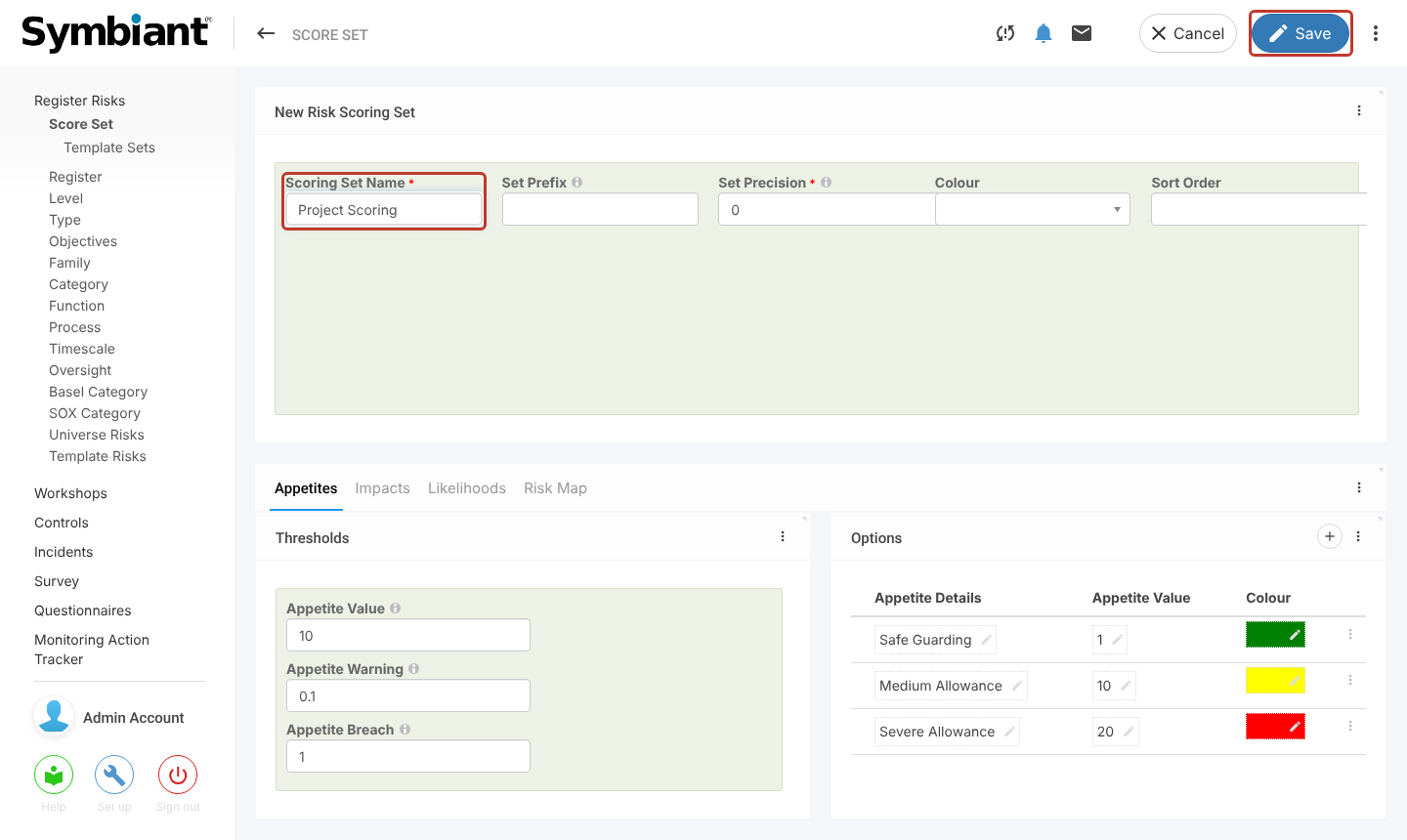
A new score set opens with the template’s settings. Enter a unique Scoring Set Name, adjust anything else you need, and select Save.
You can create as many score sets from a template as you like, as long as each has a unique name. The new set appears in the Score Set list and can be chosen on registers, risks and workshops.


