
 Doc Summary

Issue: A risk’s whole row is highlighted in red on the Risk Registers dashboard.
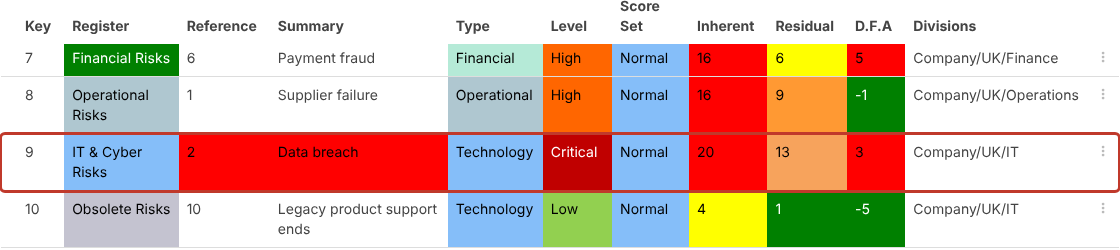
Cause: One or more controls linked to the risk are inactive.
Fix: Open the risk. On the Controls tab the inactive control is struck through. Reactivate the control if it is working again, or update the risk’s scores if it isn’t.
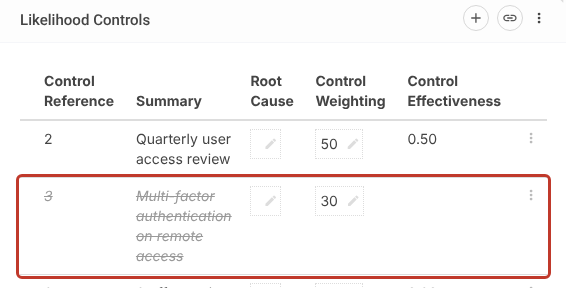
See Activating/Deactivating a Control.


