
 Doc Summary

Time sheets record the hours spent on a working paper and the type of work done, such as planning, fieldwork or reporting.
Note: Applies to: auditors who can edit the working paper. You need a working paper first. See Creating a Working Paper.
Opening the Time Sheets #
- Open the working paper and select the Time Sheets tab.
- If you cannot see the + icon, scroll the row of tabs to the right. Then click + at the end of the tabs.

Adding a Time Sheet #
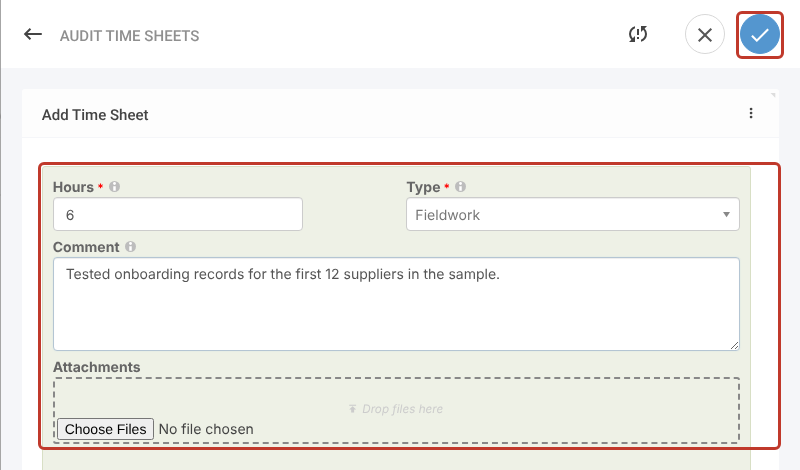
- Enter the Hours worked and choose the Type of work. Both are required.
- Add a Comment describing the work, and drop any supporting files into Attachments.
- Click the blue tick at the top right to add the time sheet.
- The time sheet is listed on the tab with any others, showing who added it and when.

Saving #
- Click Save to save and close, or the pencil icon beside it to save and stay on the working paper.



