
 Doc Summary

How to link the BCP resources a scenario or incident depends on, such as a building, a system or a supplier.
Applies to: users who can edit BCP records. Module: BCP and BCP Resources.
Before You Start #
The resource must already exist in BCP Resources, or you can create it from the BCP record using the + icon (see below).
Linking an Existing Resource #
- Open the BCP record and select the Resources tab.
- Click the link icon (the chain) at the top right of the tab. The + icon next to it creates a new resource instead.

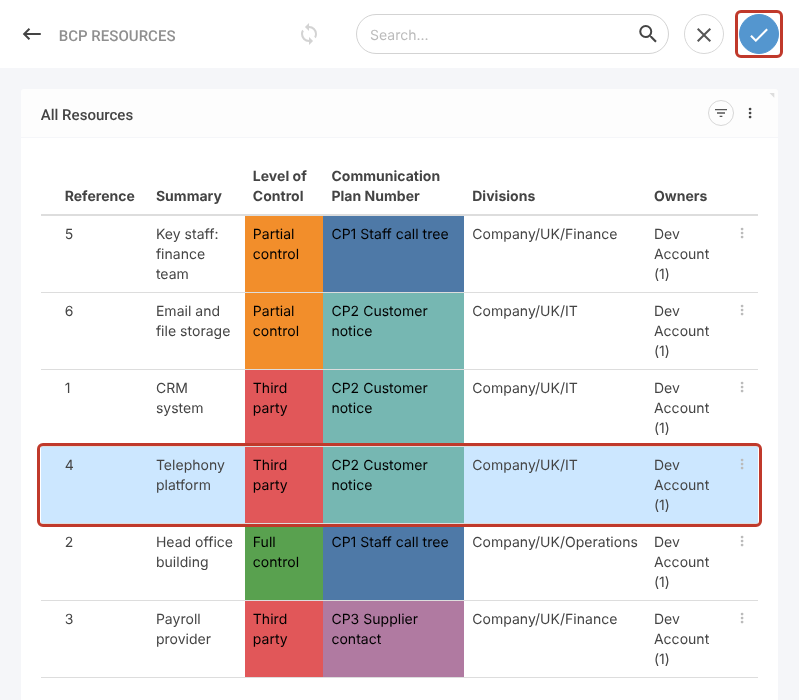
- The BCP Resources list opens on the right. Click each resource you want to link; selected rows turn blue.
- Click the blue tick at the top right to confirm.
Saving #
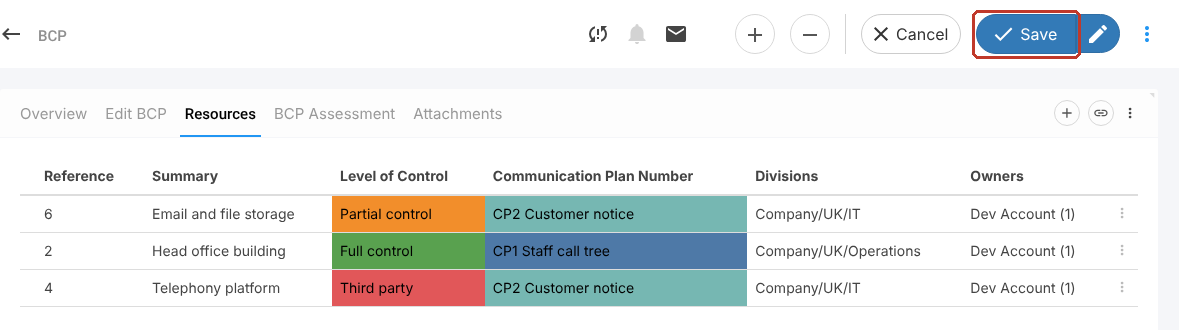
The resource now appears in the grid. Click Save to keep the link.
Removing a Link #
Click the three dots (⋮) at the end of the resource row and choose Delete, then Save. This removes the link only; the resource itself is not deleted.


