
 Doc Summary

How to raise a new ticket on the Service Desk.
Applies to: users who can create Service Desk tickets. Module: Service Desk.
Raising the Ticket #
- Select Service Desk in the left-hand menu.
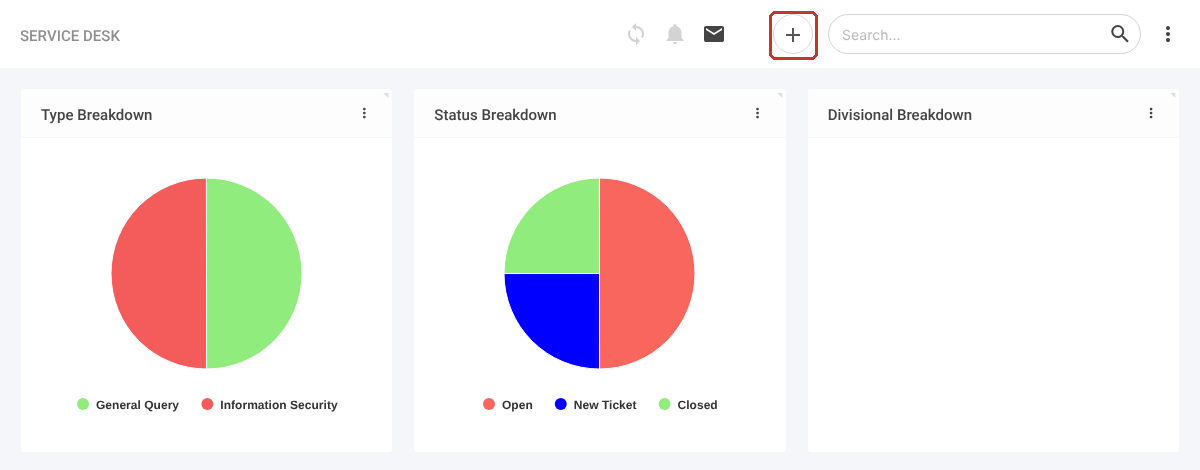
- Click the + icon at the top right.
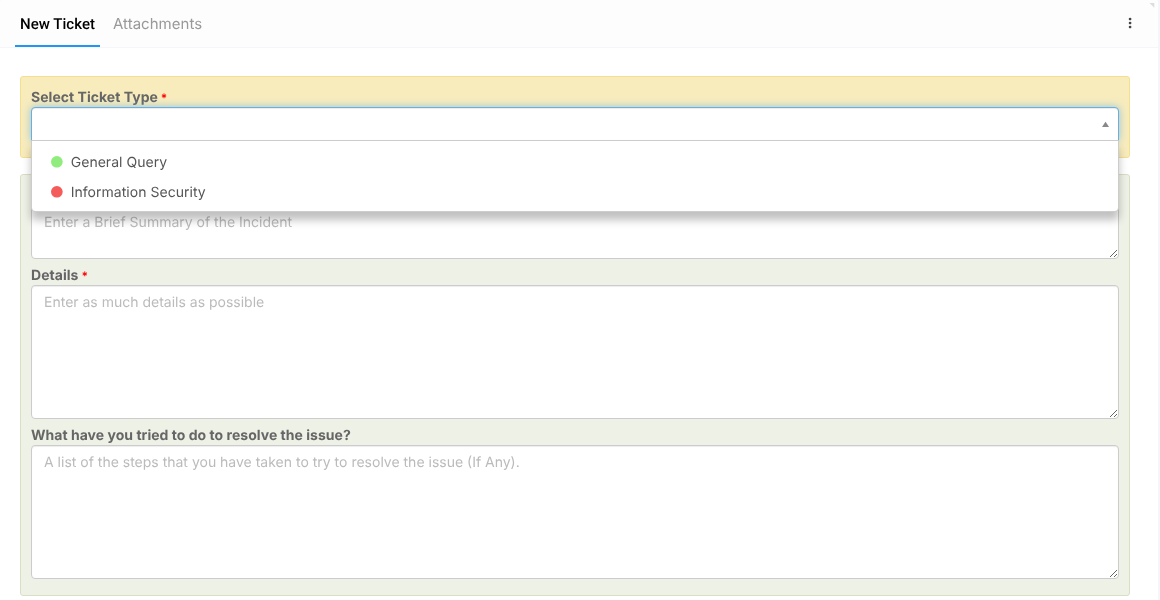
- Choose the Ticket Type (required). The form changes to match the type.
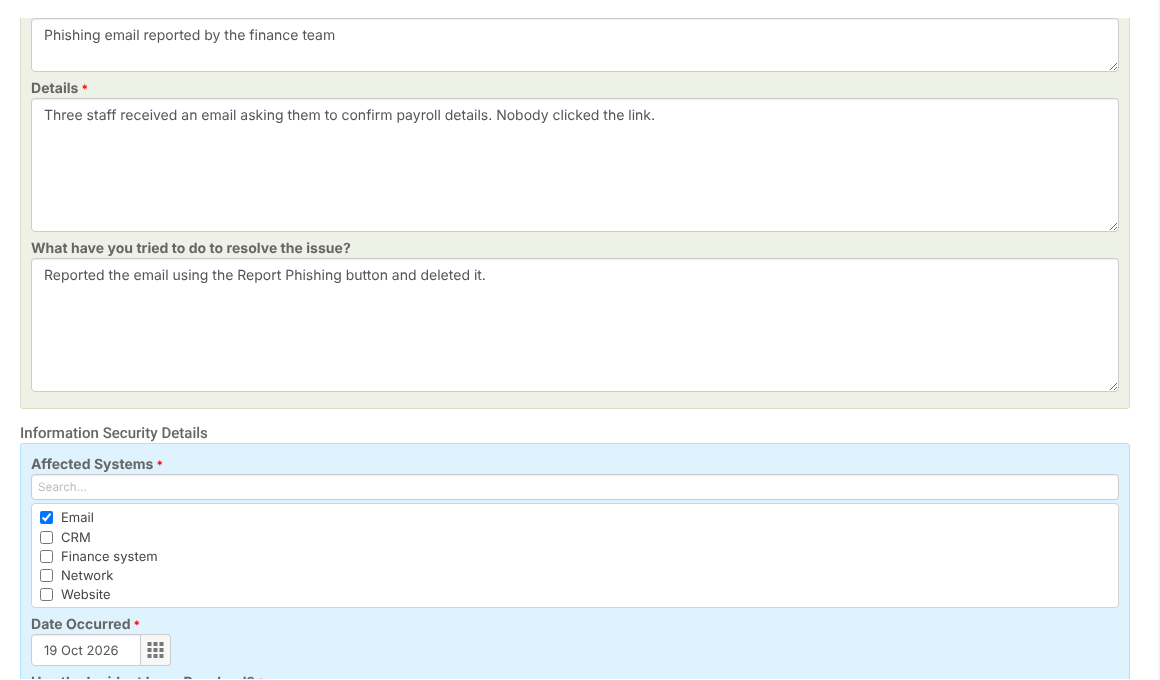
- Enter a Summary and Details (both required).
- Under What have you tried to do to resolve the issue?, list anything you have already tried.
Information Security Tickets #
For an Information Security ticket, also complete the Information Security Details:
- Tick the Affected Systems.
- Pick the Date Occurred (future dates are not allowed).
- Answer Has the Incident been Resolved?. If you choose Yes, a Resolved Date appears and is required.
- Answer Did Data Exposure Occur? and Did Service Outage Occur?.
Saving #
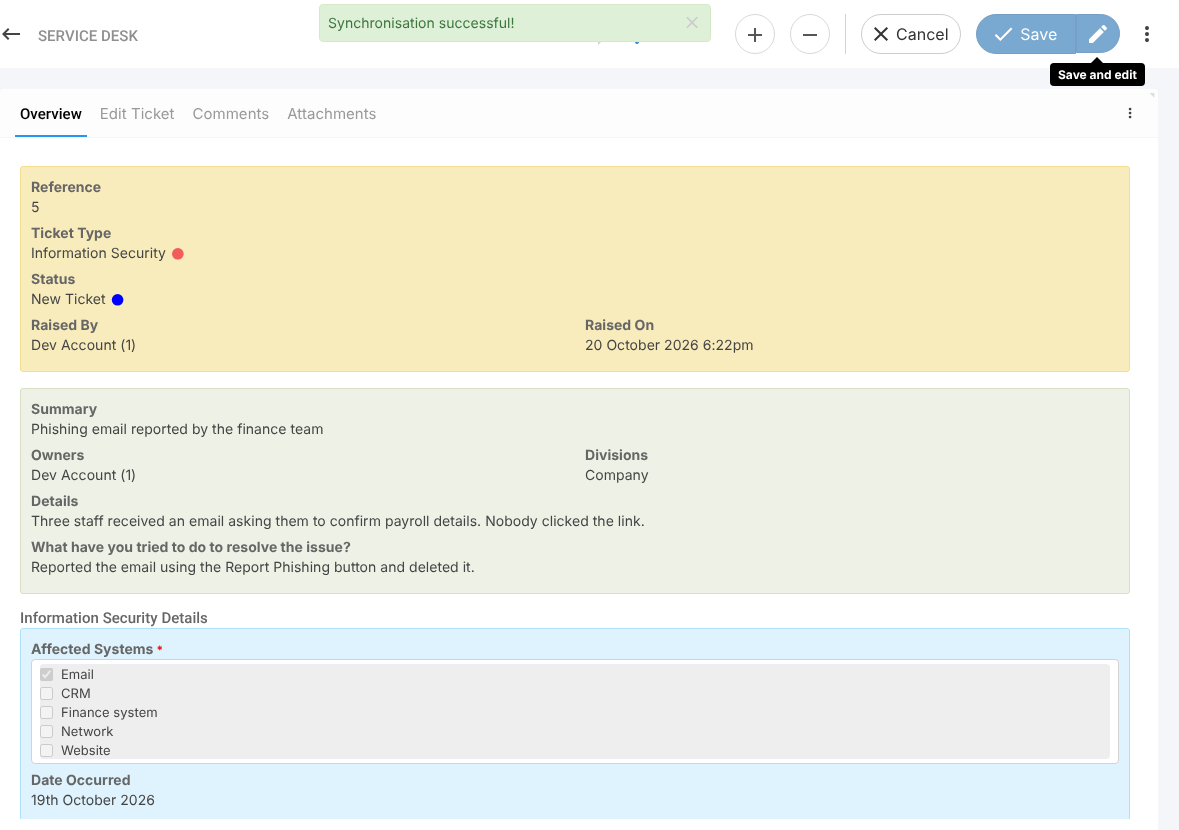
Click Save. The ticket gets a reference and the status New Ticket, and records who raised it and when.
Note: If you see “Validation failure”, a required field is empty. Scroll down to find the field with the warning triangle.


