
 Doc Summary

How to reset your password from the Symbiant sign-in page if you’ve forgotten it or your temporary password has expired.
Applies to: Users who sign in with an email and password · Users who sign in with a corporate (SAML) login reset their password with their own IT team instead.
Forgot Password #
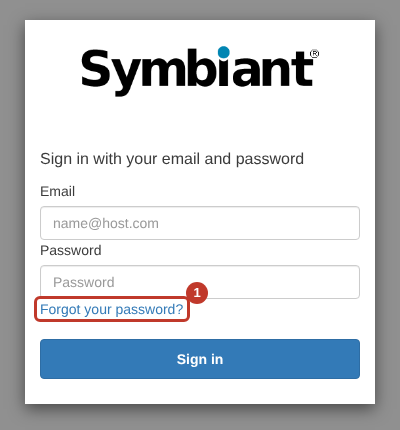
- Go to your Symbiant site. On the sign-in page, click Forgot your password? (1).
- Enter your Email (1) and click Reset my password (2).
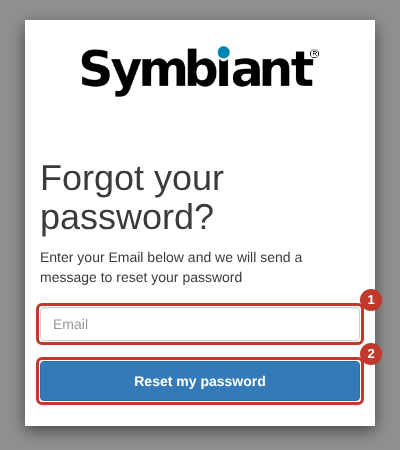
Critical: Enter exactly the email address your Symbiant account uses. If it doesn’t match, no code is sent.
- A verification code is emailed to you. This can take a few minutes, so check your junk or spam folder if it doesn’t arrive.
- Enter the code and your new password, then click Change Password.
You can now sign in with your email and new password.
Tip: If the email still doesn’t arrive, ask your IT team to allow emails from Symbiant through your spam filter. See Login Issues.


