
 Doc Summary

An introduction to the Business Objectives module, where you record what the organisation is trying to achieve and connect it to the risks, policies and surveys that affect it.
Applies to: all users with a Business Objectives role. Module: Business Objectives.
The Dashboard #
Select Business Objectives in the left-hand menu. Charts show the Status, Type, Factors and Divisional breakdowns; the All Objectives grid lists each objective with its type, status, owners and divisions.
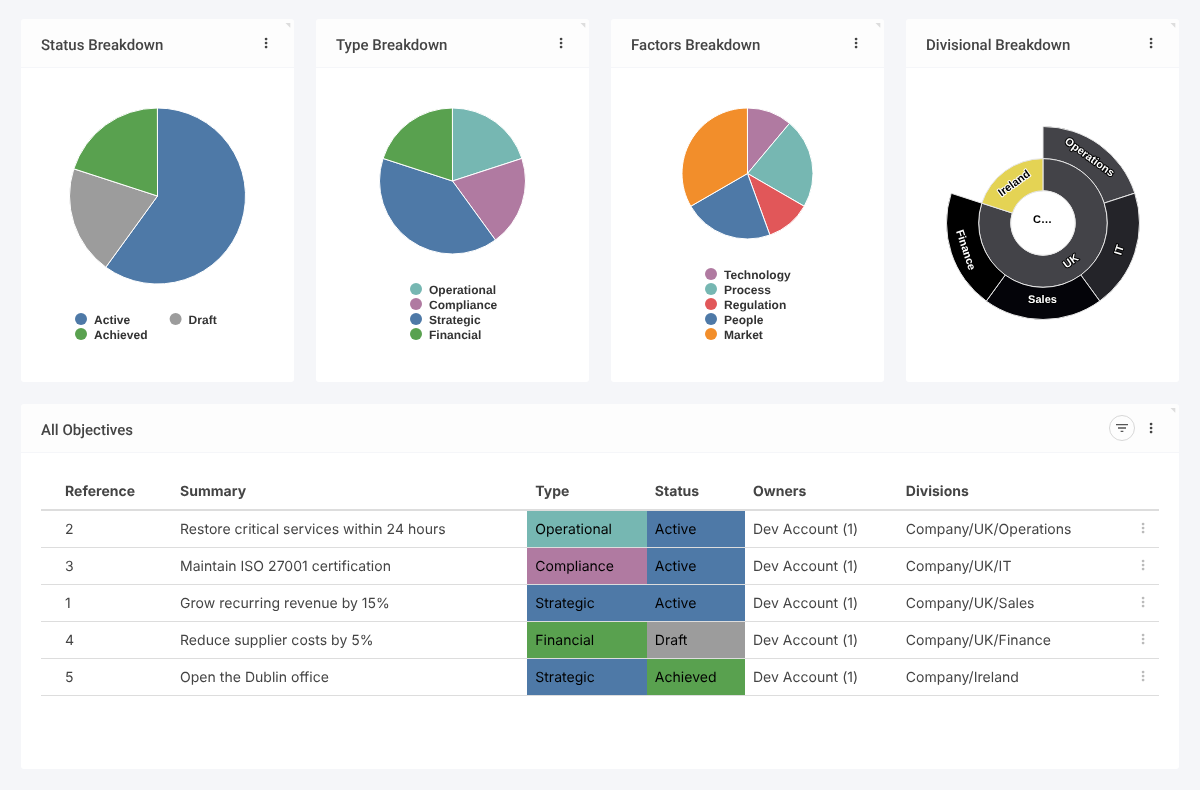
Inside an Objective #
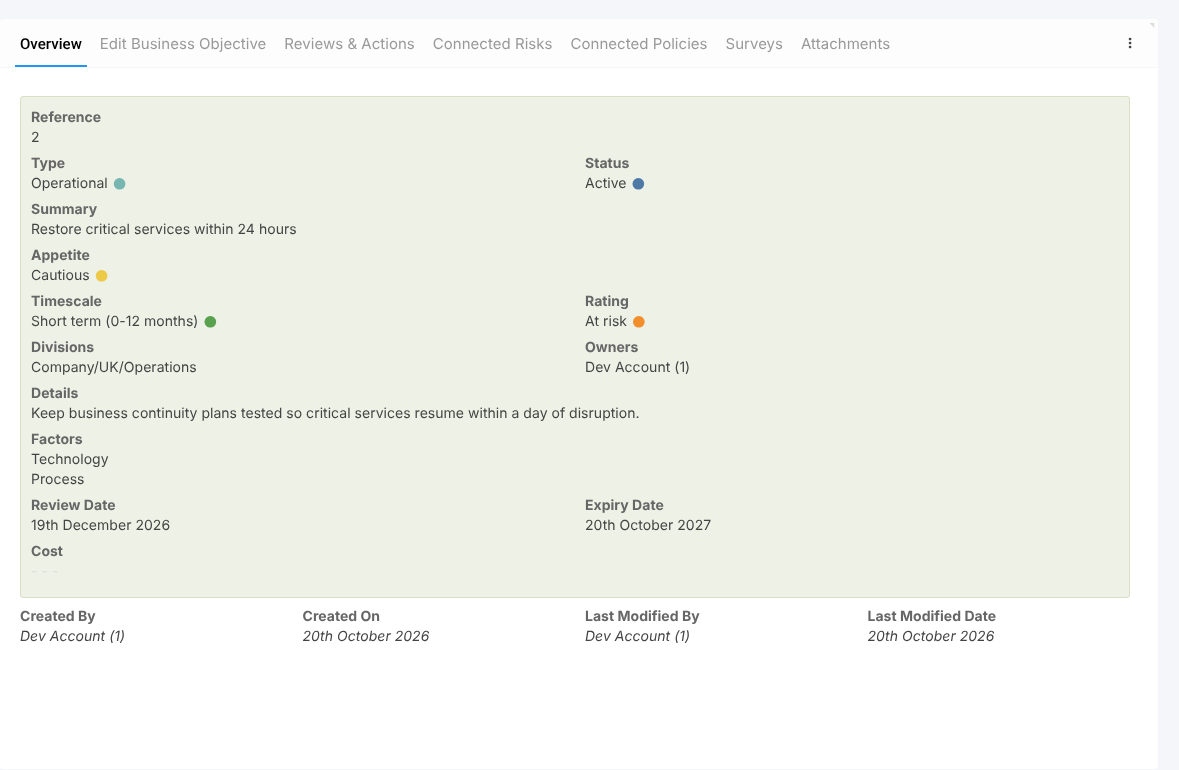
Click an objective to open it. The tabs are:
- Overview and Edit Business Objective: type, status, appetite, timescale, rating, divisions, owners, factors, review and expiry dates, and cost.
- Reviews & Actions: periodic reviews with assigned actions.
- Connected Risks: the objective’s appetite and the risks linked to it, with controls and incidents linked automatically through those risks.
- Connected Policies and Surveys: related policies and surveys.
- Attachments.
Drop-Down Lists #
Admins maintain Status, Type, Rating, Factors, Timescale and Appetite under Business Objectives in the menu. Each Appetite has a numeric value used to compare connected risks with the objective’s appetite. The Status list has an Open? tick that marks which statuses count as open.


