
 Doc Summary

An introduction to BCP Resources: the people, premises, systems and suppliers your continuity plans depend on.
Applies to: all users with a BCP role. Module: BCP Resources.
What a Resource Holds #
- Level of Control: how much control the business has over the resource (for example Full control or Third party).
- Communication Plan Number: which communication plan to use if the resource is lost.
- Substitution: the workaround if the resource is unavailable.
- Resource Impacts: how badly each department is affected if the resource is lost.
- Action Plan: plans and actions to reduce the impact, which also appear in the Actions module.
- Linked Risks and Linked Controls from the Register Risks and Controls modules.
The BCP Resources Dashboard #
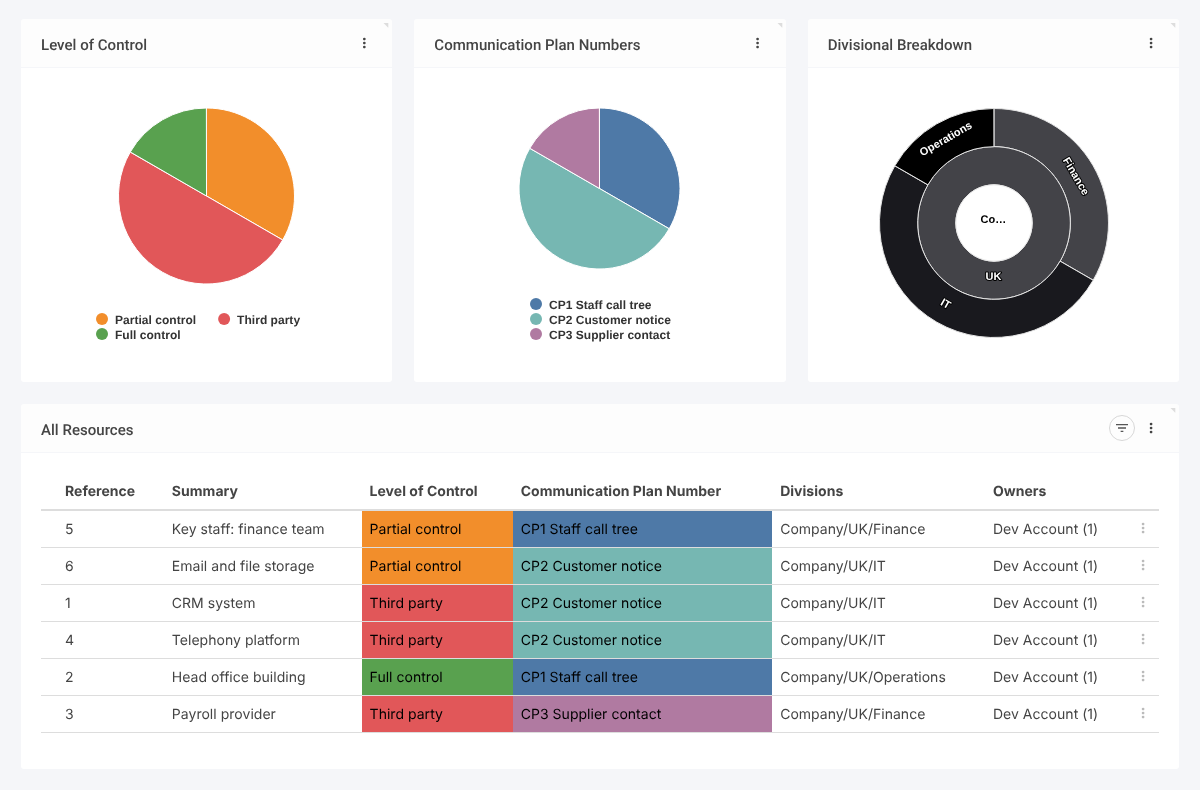
Select BCP Resources in the left-hand menu. Charts show the Level of Control, Communication Plan Numbers and Divisional Breakdown; the All Resources grid lists each resource.
Inside a Resource #
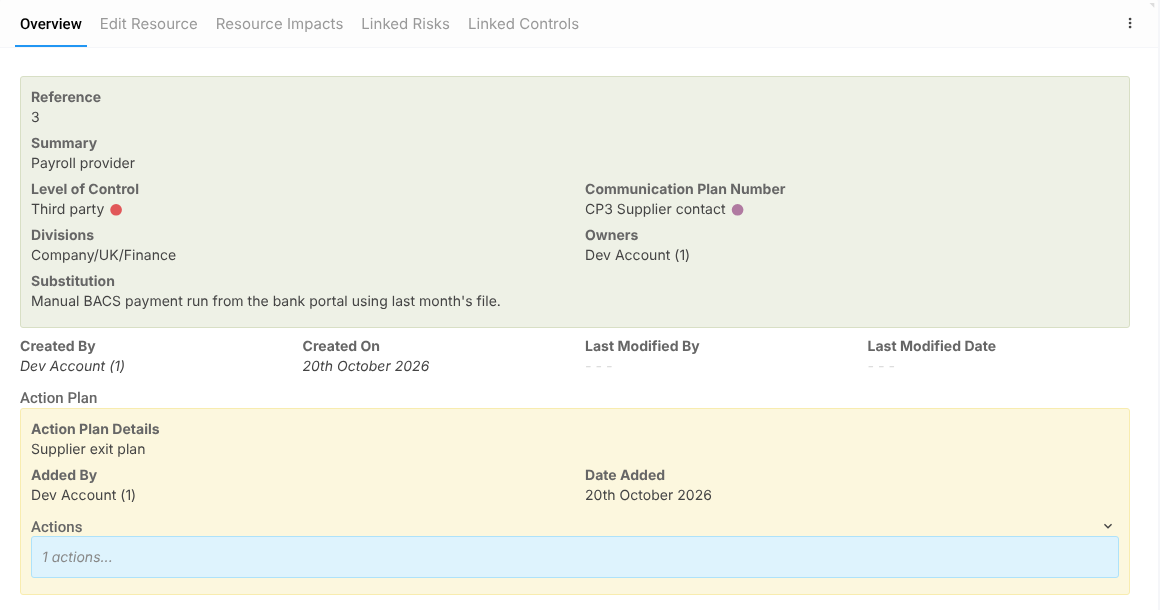
Click a resource to open it. The Overview tab shows the details and any action plans; the other tabs are Edit Resource, Resource Impacts, Linked Risks and Linked Controls.
Admins maintain the lists under BCP Resources in the menu: Level of Control, Communication Plan Number, Department and Impact Level.


