
 Doc Summary

What the Basel II and SOX categories are, how to set them on a risk, and where administrators maintain the lists. Requires the Risk Register module.
Applies to: Users who can edit risks (setting a category) and administrators (maintaining the lists) · Module: Register Risks
Basel II Categories #
The Basel II framework sets out how banks identify and manage operational risk. It groups operational risk events into seven categories, which Symbiant provides as the Basel Category list:
- Internal Fraud
- External Fraud
- Employment Practices and Workplace Safety
- Clients, Products, and Business Practice
- Damage to Physical Assets
- Business Disruption and Systems Failures
- Execution, Delivery, and Process Management
SOX Categories #
The Sarbanes-Oxley Act (SOX) requires companies listed on US stock exchanges to evaluate their internal controls over financial reporting each year. The SOX Category list starts with the main sections of the Act:
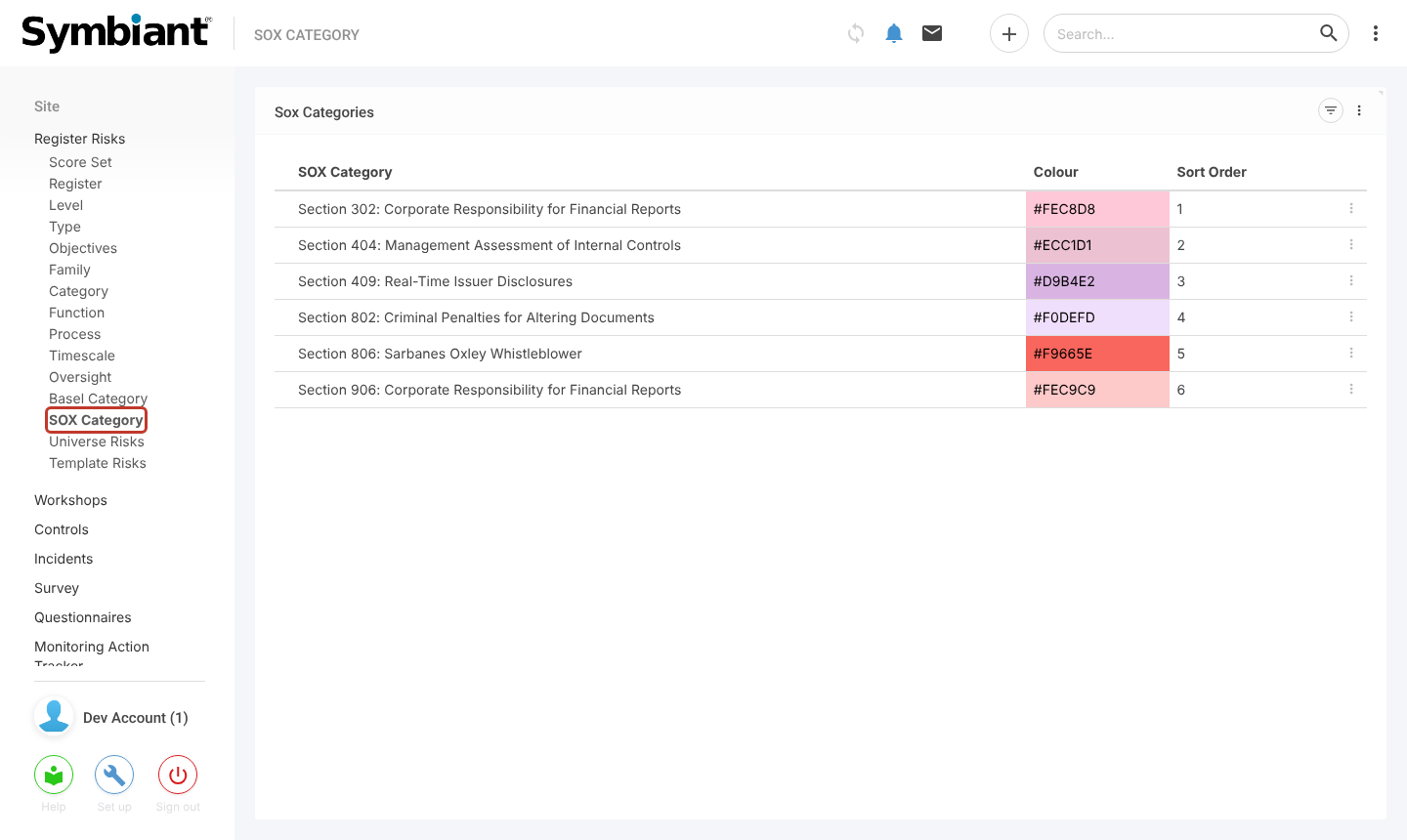
- Section 302: Corporate Responsibility for Financial Reports
- Section 404: Management Assessment of Internal Controls
- Section 409: Real-Time Issuer Disclosures
- Section 802: Criminal Penalties for Altering Documents
- Section 806: Sarbanes Oxley Whistleblower
- Section 906: Corporate Responsibility for Financial Reports
Both fields are optional. Use them if your organisation reports against these frameworks.
Setting a Category on a Risk #
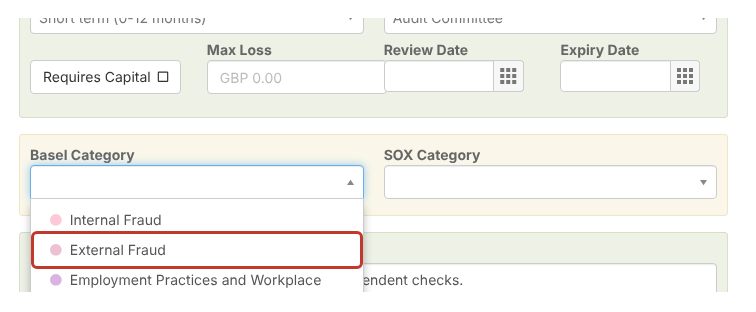
Open the risk and select the Edit Risk tab (or fill these in when adding a risk). Scroll down to Basel Category and choose a category.
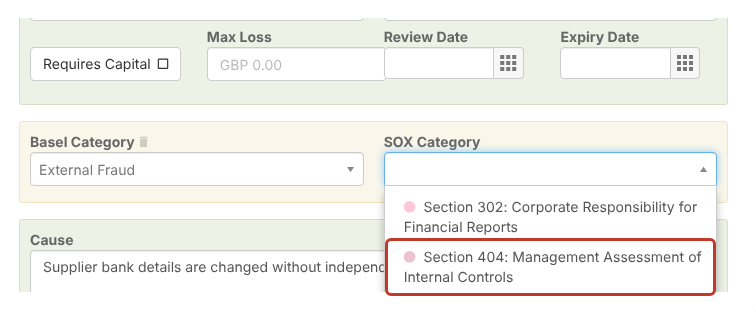
Choose a SOX Category in the same way.
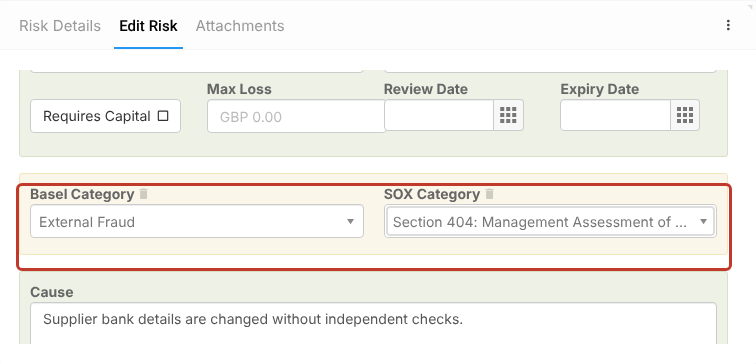
Select Save at the top right, or the pencil to save and stay on the risk.
Maintaining the Lists (Administrators) #
Under Register Risks in the left-hand menu, select Basel Category to see the list. From here you can add a category with the plus icon at the top right, or select a row to edit its name, colour or sort order.
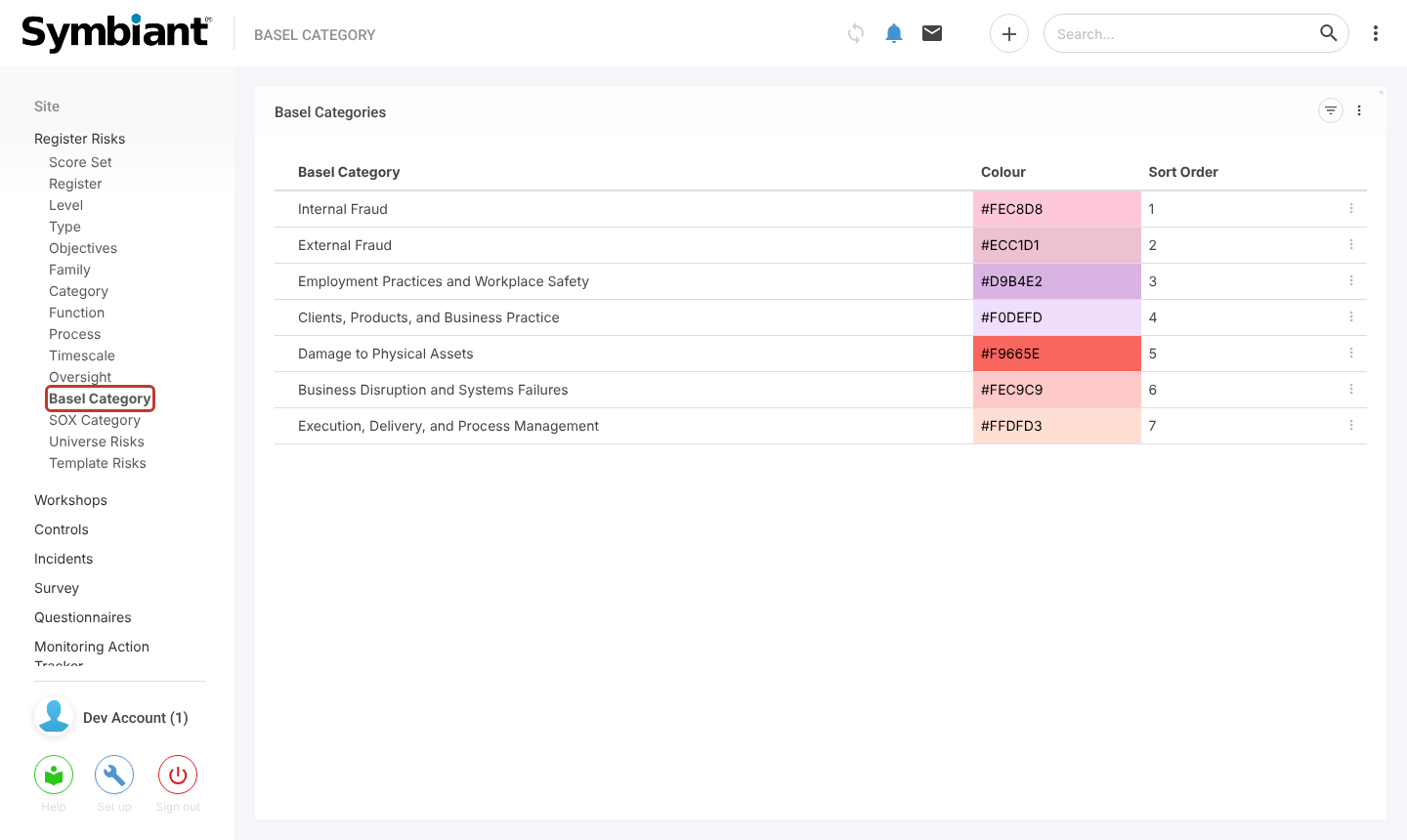
SOX Category works the same way.
Note: Renaming a category changes it on every risk that uses it.


