
 Doc Summary

How to suggest, vote on and adopt mitigation plans at a workshop’s Treatment stage.
Applies to: Workshop managers and members · Module: Workshops
Before you start: the workshop must be at the Treatment stage (see Workshops Stages).
The Treatment Stage #
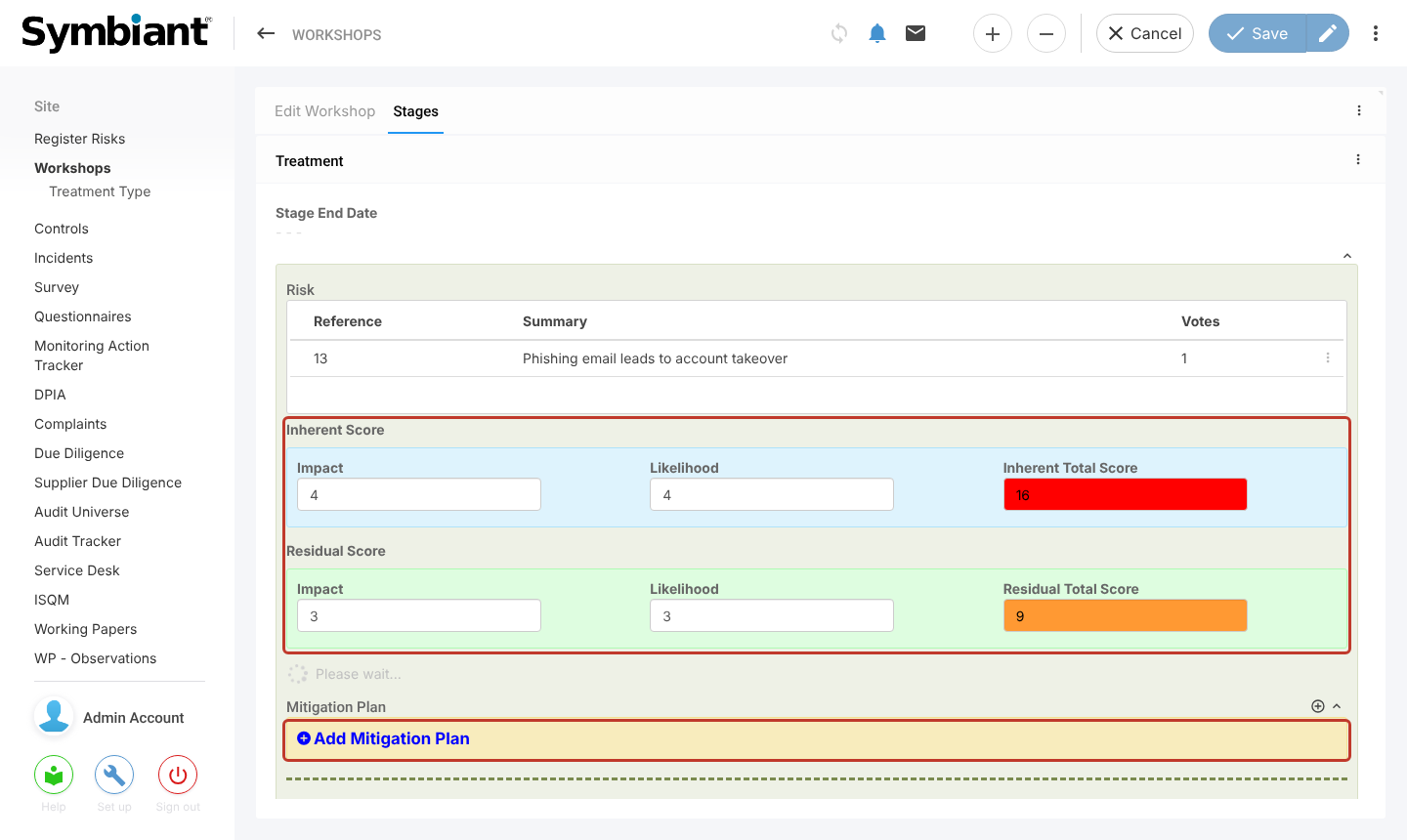
Open the workshop and select the Stages tab. Each risk shows the Inherent Score and Residual Score agreed earlier, with an Add Mitigation Plan link underneath.
Setting Up Treatment Types #
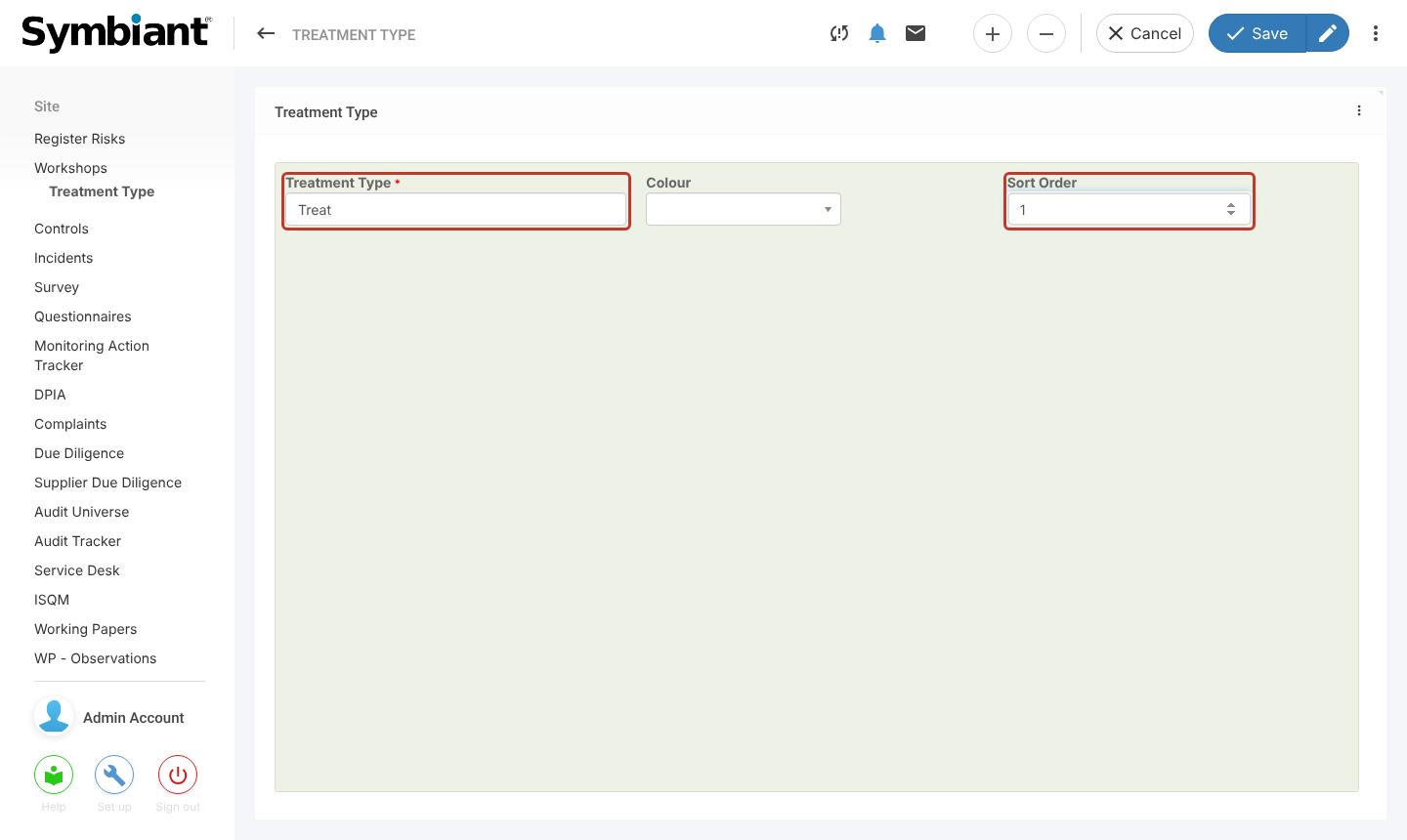
Each plan has a Treatment Type. If the list is empty, an admin adds the types first: select Treatment Type under Workshops in the left-hand menu, select the plus icon, enter the Treatment Type and a Sort Order, and save. A common set is Treat, Tolerate, Transfer and Terminate.
Adding a Mitigation Plan #
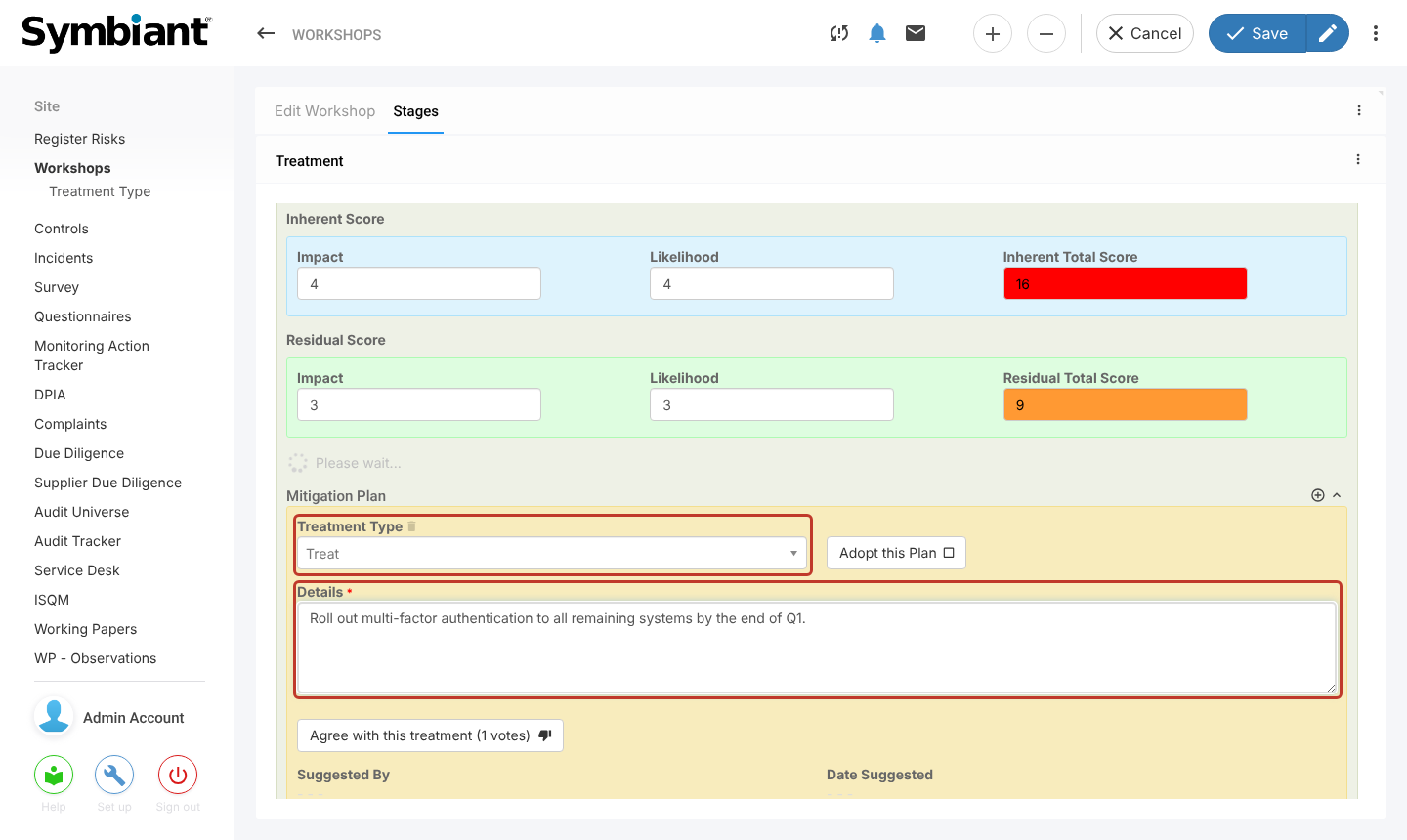
Select Add Mitigation Plan under the risk. Choose the Treatment Type and describe the plan in Details. Add as many plans as you like, then save. Suggested By and Date Suggested fill in when you save.
Voting on the Plans #
Read through all the suggested plans, then select Agree with this treatment on the plans you support. The plan you suggest counts as your vote, and selecting the button again takes your vote back. A reminder appears because your vote is not recorded until you save.
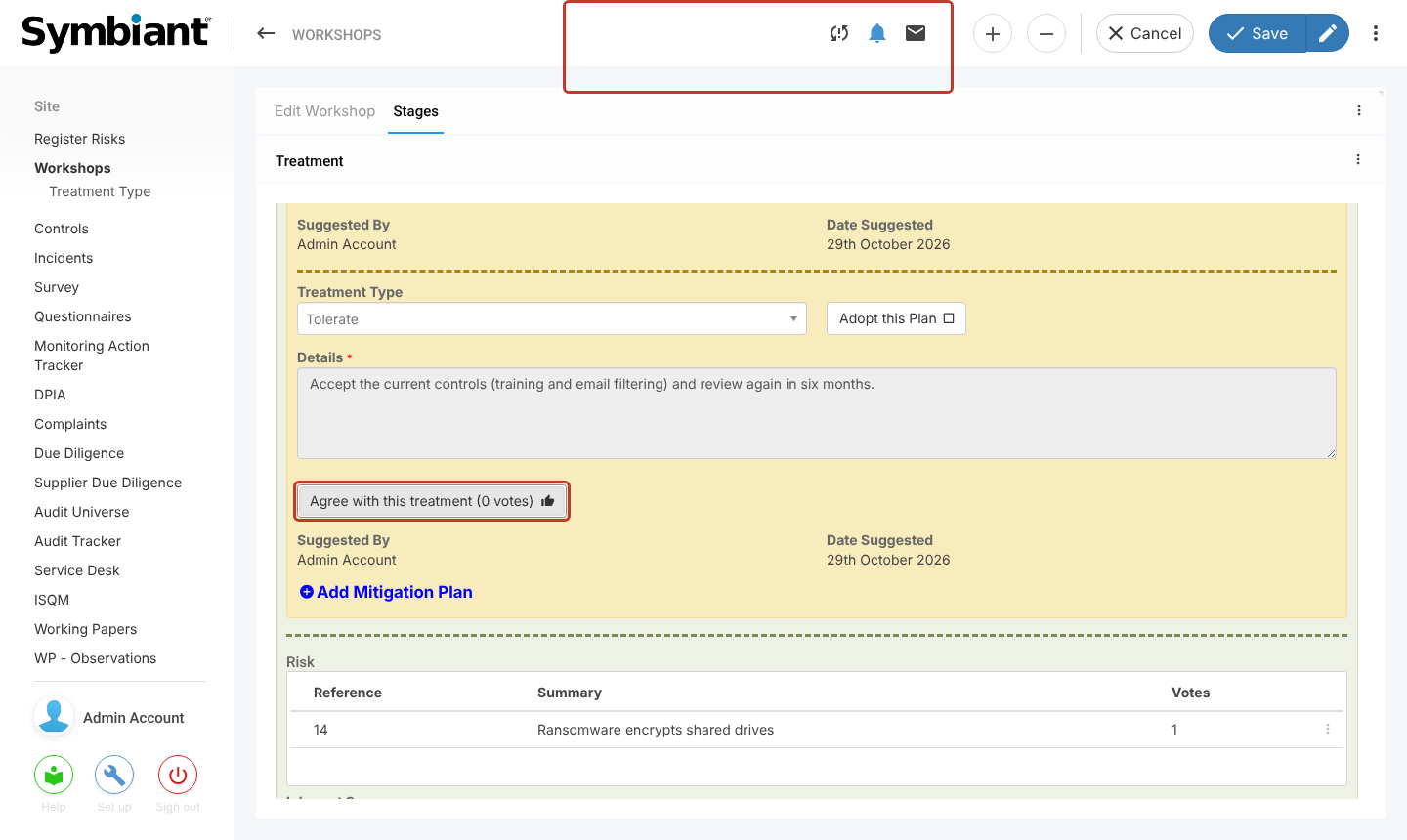
Select Save, or the pencil to save and stay on the workshop. The vote count on each plan shows the manager which has the most support.
Adopting a Plan #
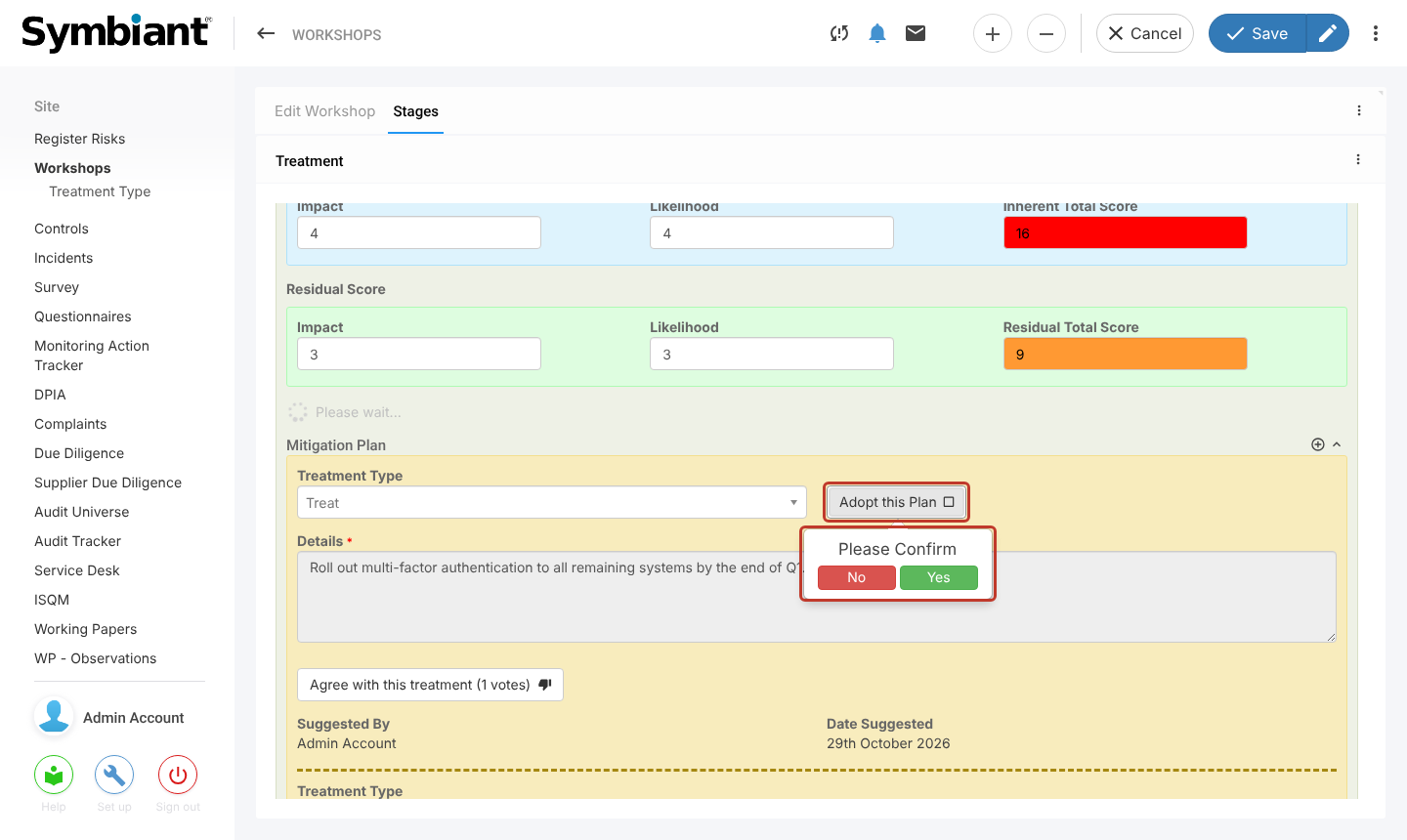
When voting has finished, the workshop manager selects Adopt this Plan on the chosen plan and confirms with Yes. You can adopt more than one plan for a risk.
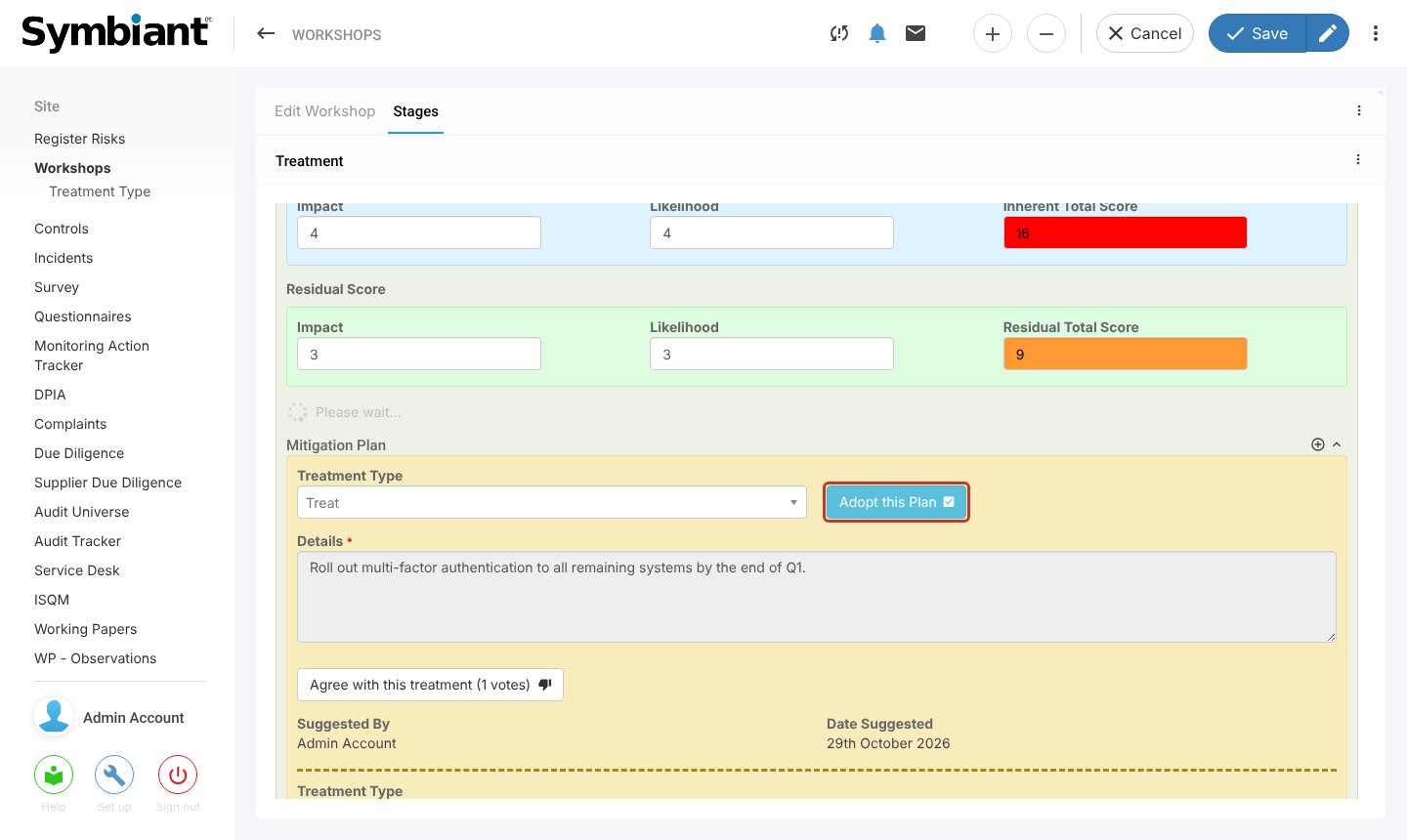
The button turns blue with a tick. Save the workshop to keep the adoption.
Only adopted plans are carried forward to the Monitor stage.


