Doc Summary

How to create a DPIA (Data Protection Impact Assessment) record.
Applies to: users with a DPIA role that can add records · Module: DPIA
Accessing DPIA #
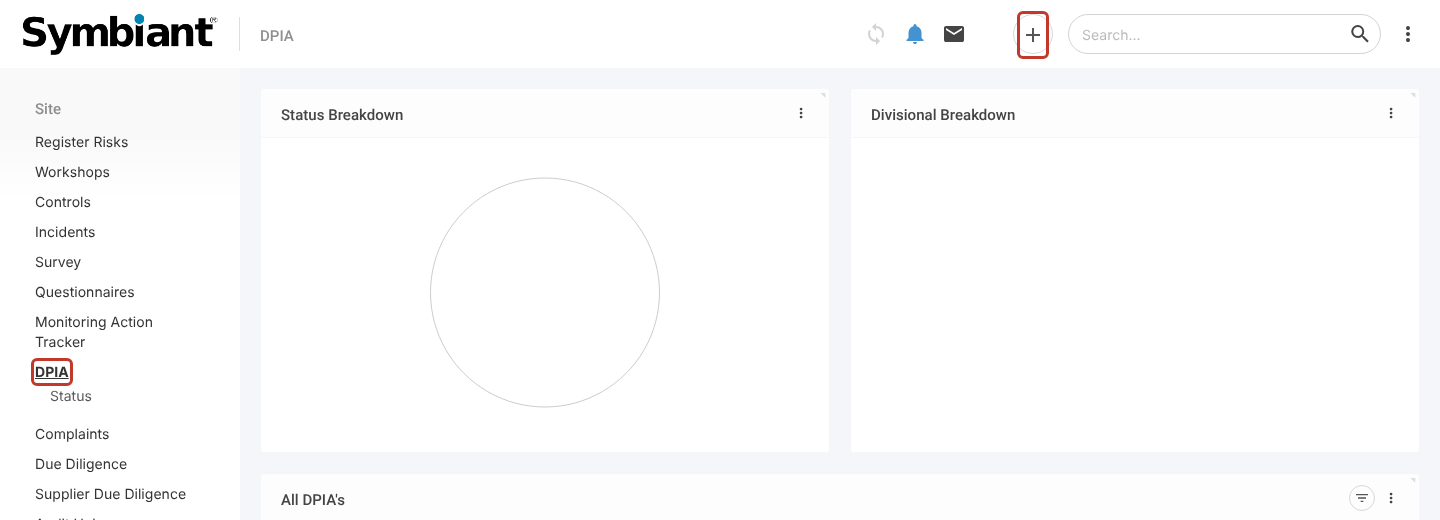
- In the left menu, click DPIA, then the + icon at the top right.
Choosing the Questionnaire #
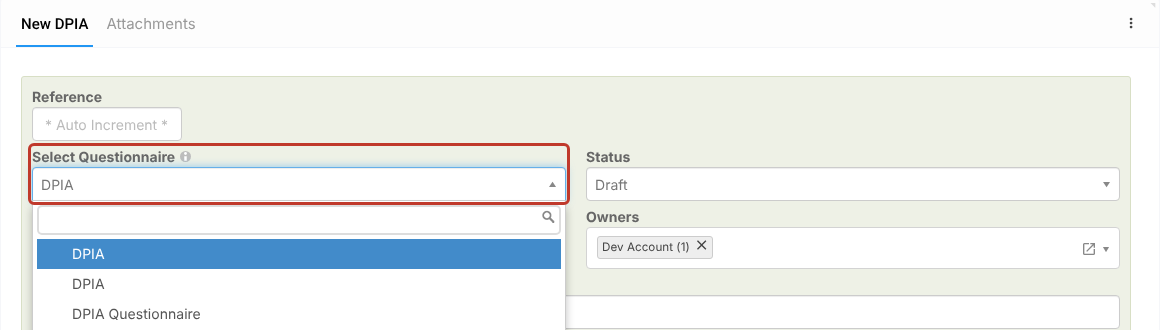
- In Select Questionnaire, choose the questionnaire to answer. This can be the standard DPIA questionnaire or one your organisation has built (see Creating a Questionnaire and Linking Questions).
Entering the DPIA Details #
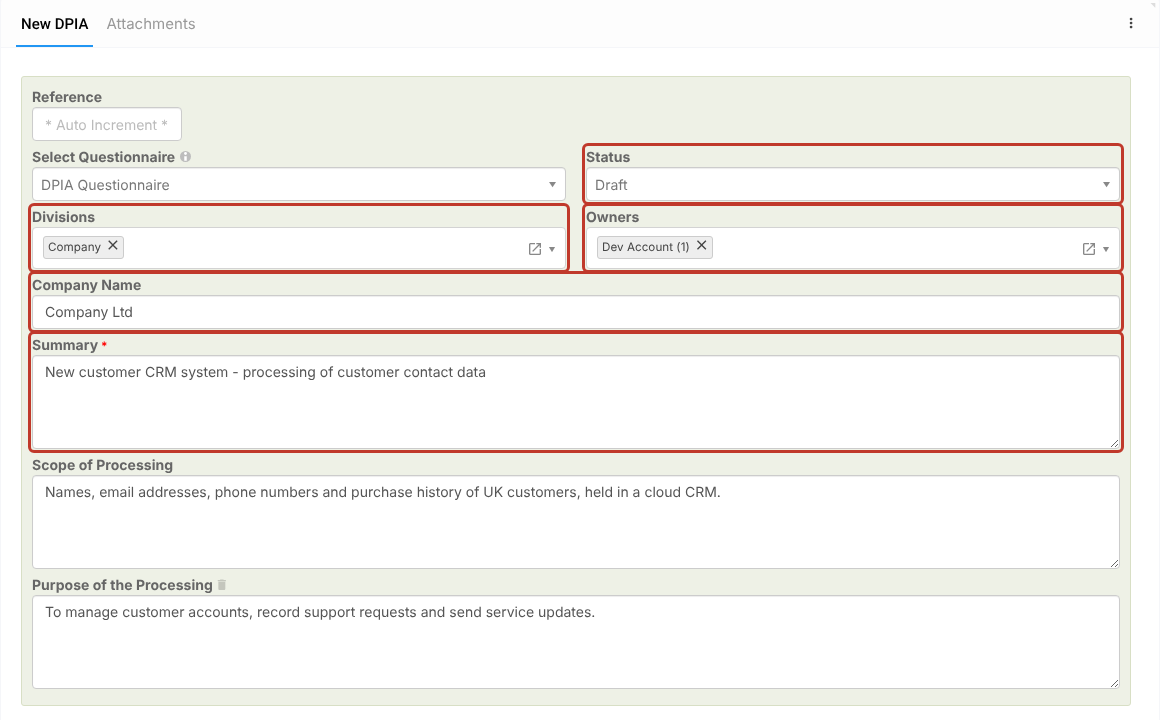
- Select a Status (admins manage this list in the Status item under DPIA).
- Check the Divisions and Owners. They fill in with your division and your name; change them if the DPIA belongs to another area or person.
- Enter the Company Name, a Summary of the project, the Scope of Processing (what personal data is processed and whose) and the Purpose of the Processing.
Saving #
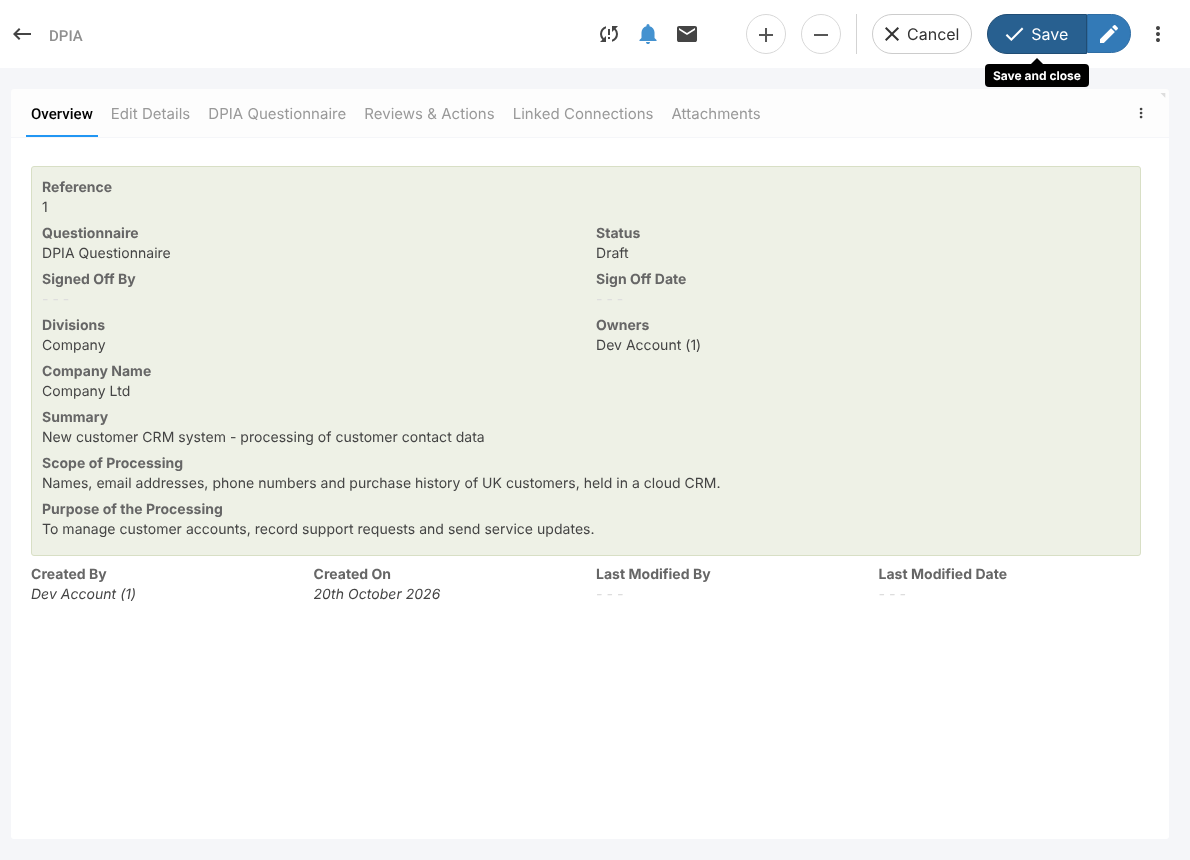
- Click Save at the top right. The DPIA opens with the tabs Overview, Edit Details, DPIA Questionnaire, Reviews & Actions, Linked Connections and Attachments.