
 Doc Summary

How to add a quality objective to the ISQM module.
Applies to: users who can create ISQM records. Module: ISQM.
Before You Start #
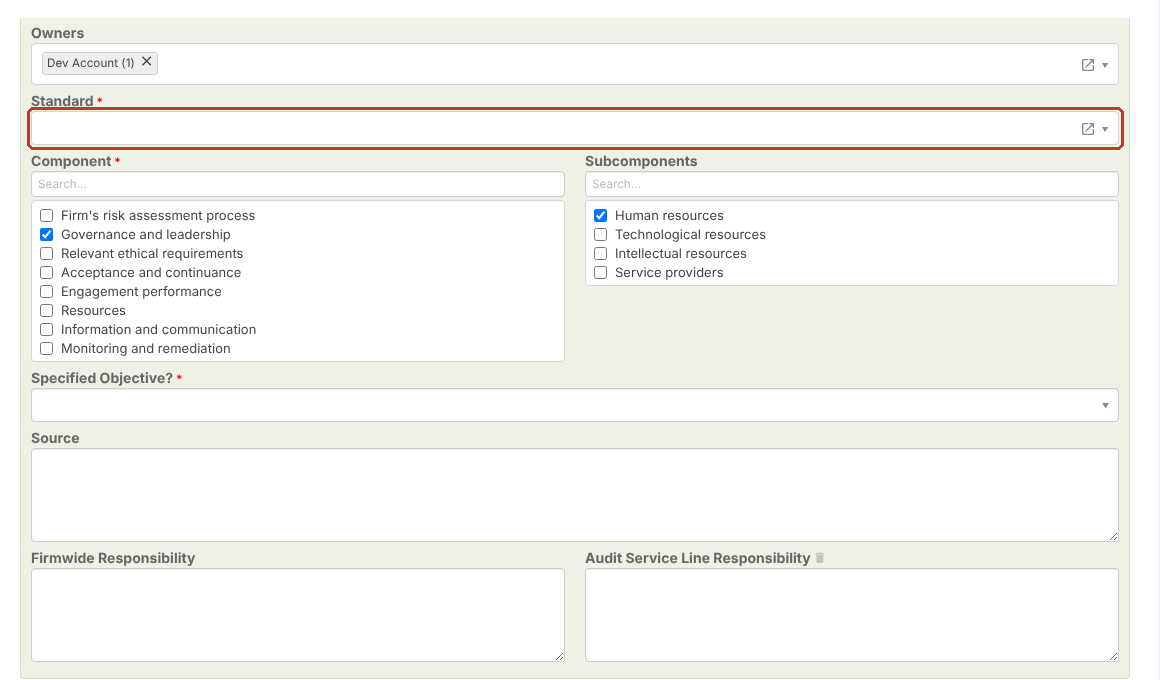
The Standard field is required, so the Standard list must contain at least one standard. If the Standard drop-down is empty, ask your administrator or Symbiant Support to set it up.
Adding the Objective #
- Select ISQM in the left-hand menu and click the + icon at the top right.
- Tick the Region (required).
- Choose the Status and Level of Attention.
- Enter the Objective Description (required) and check the Owners.
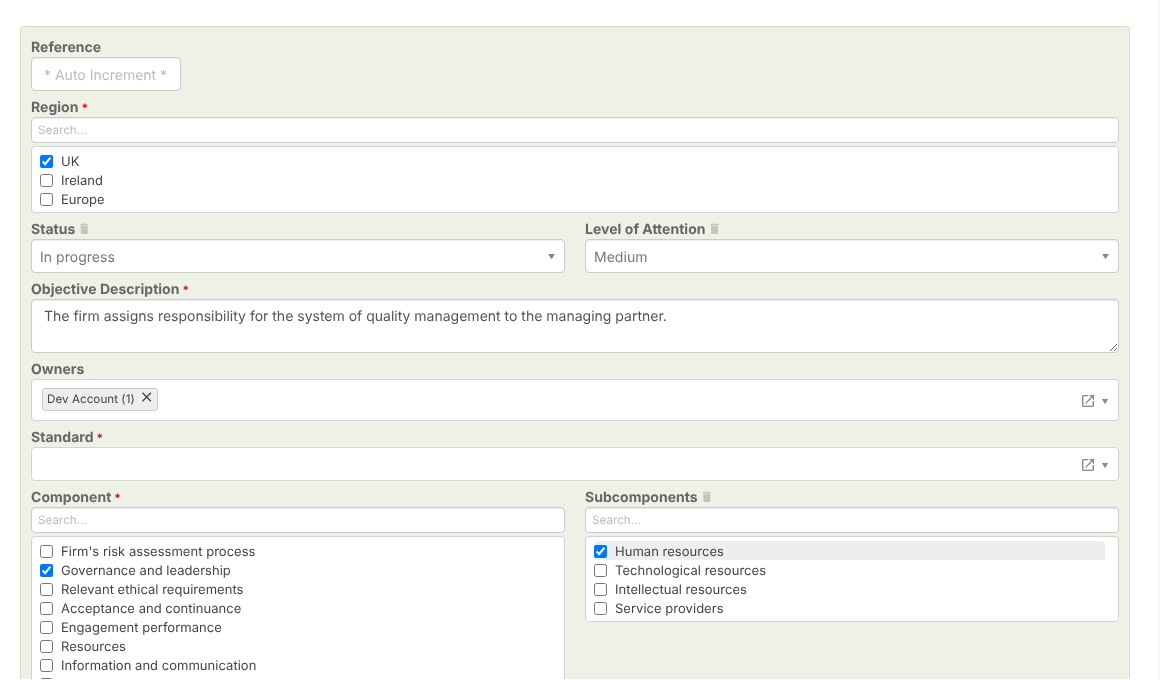
- Choose the Standard (required).
- Tick the Component (required) and any Subcomponents.
- Answer Specified Objective? (Yes or No, required).
- Record the Source, Firmwide Responsibility and Audit Service Line Responsibility.
Saving #
Click Save. The objective is given a reference and appears in the ISQM Objectives grid.


