
 Doc Summary

How to record a review of a business objective and assign follow-up actions.
Applies to: users who can edit Business Objectives. Module: Business Objectives and Actions.
Adding a Review #
- Open the objective and select the Reviews & Actions tab.
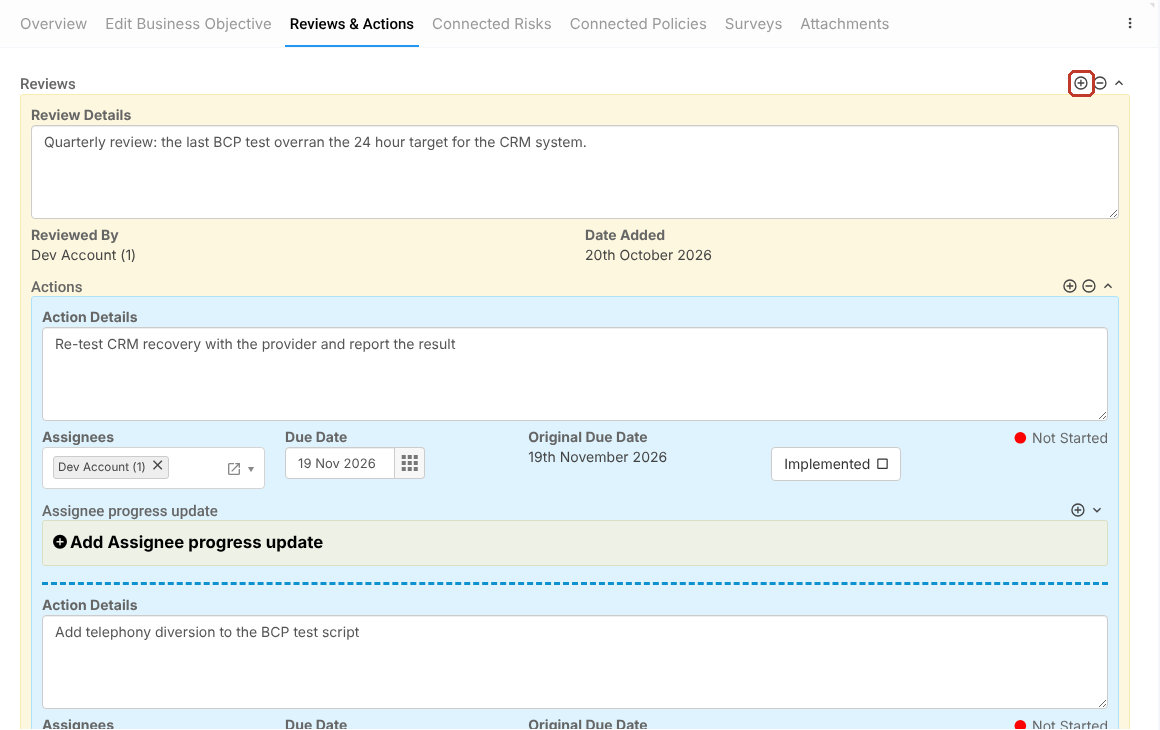
- Click Add Reviews (or the + icon on the Reviews panel).
- Enter the Review Details. Reviewed By and Date Added fill in on save.
Adding Actions to the Review #
- Inside the review, click Add Actions.
- Enter the Action Details, choose the Assignees and pick a Due Date.
- Assignees record progress with Add Assignee progress update and tick Implemented when done.
- Click Save.
The actions also appear in the Actions module.


