
 Doc Summary

How to narrow down the records on a dashboard by clicking a chart, searching, or filtering the record grid.
Applies to: All users · Module: All modules with a dashboard
Filtering with Charts #
The charts on a dashboard are interactive. Clicking part of a chart filters the whole dashboard to the records in that part.
- Open the module, for example Incidents.
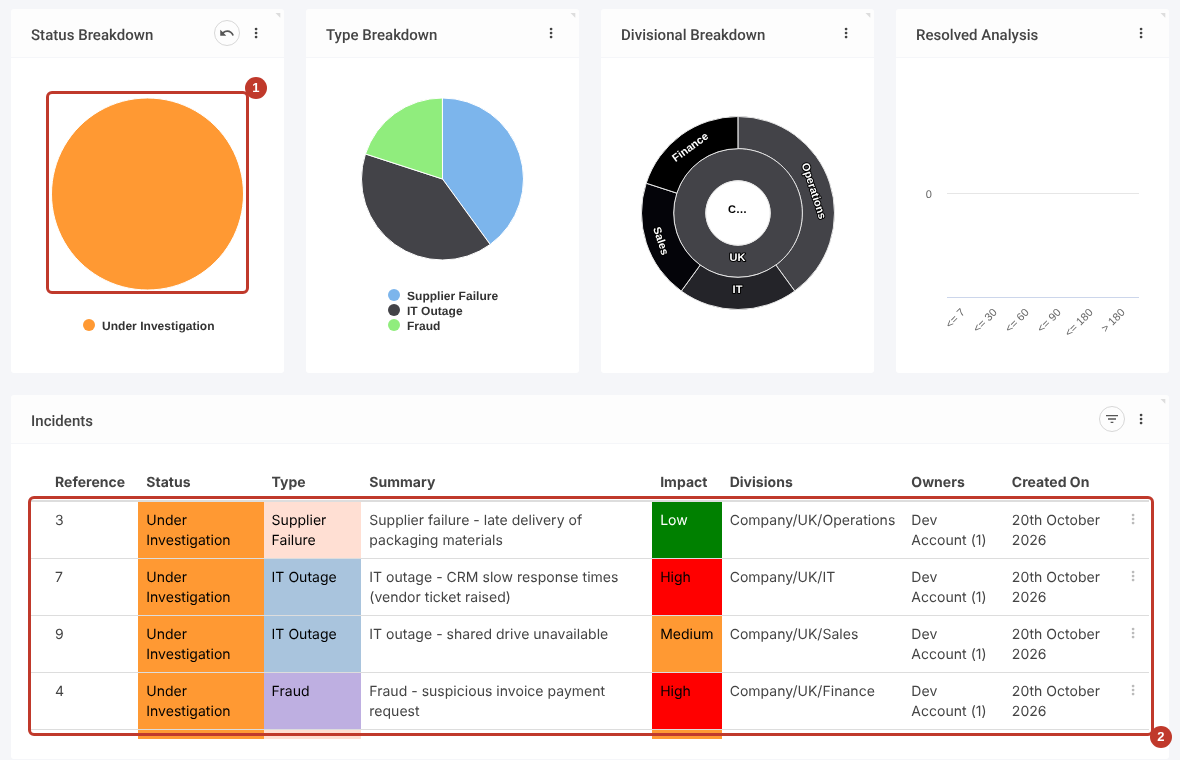
- Click a segment of a chart, for example Under Investigation on the Status Breakdown chart (1).
The record grid (2) and the other charts now only show incidents that are Under Investigation.
Combining Chart Filters #
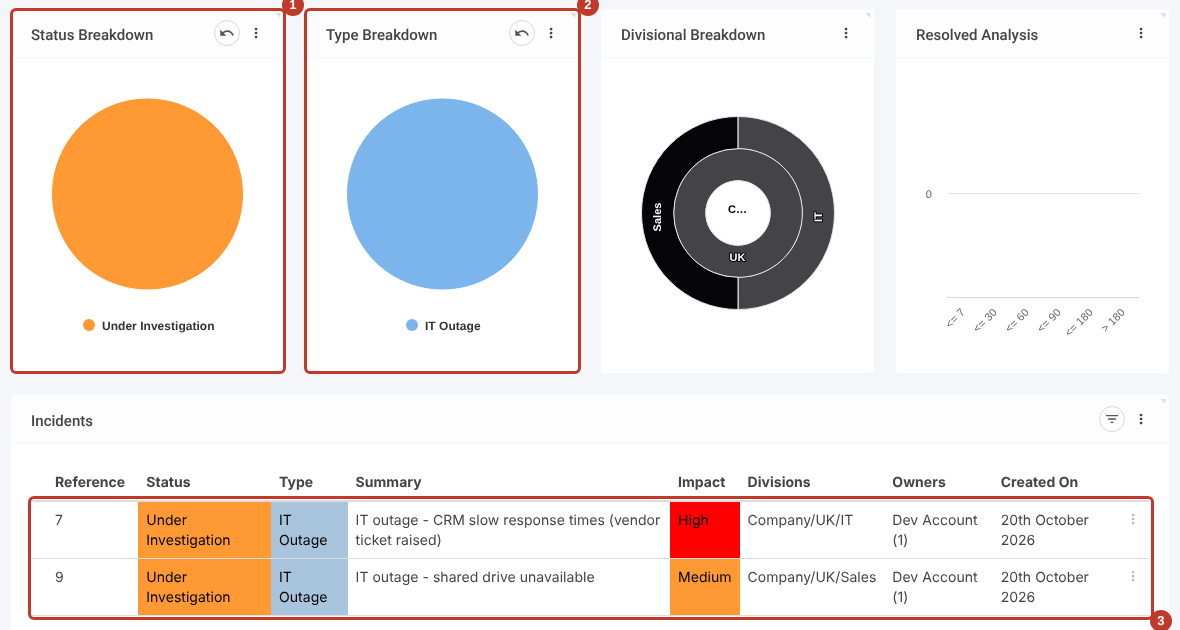
Chart filters add together, so you can drill down to exactly the records you need. With the Status filter still applied (1), click IT Outage on the Type Breakdown chart (2). The grid (3) now shows only IT outages that are Under Investigation.
Removing a Chart Filter #
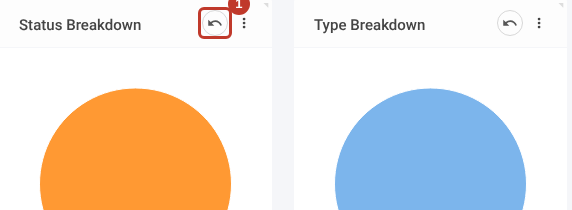
A chart with a filter applied shows an Undo icon next to its three dots (1). Click it to remove that chart’s filter.
Searching for Records #
Use the Search box at the top of the screen to find records containing a word or part of a word.
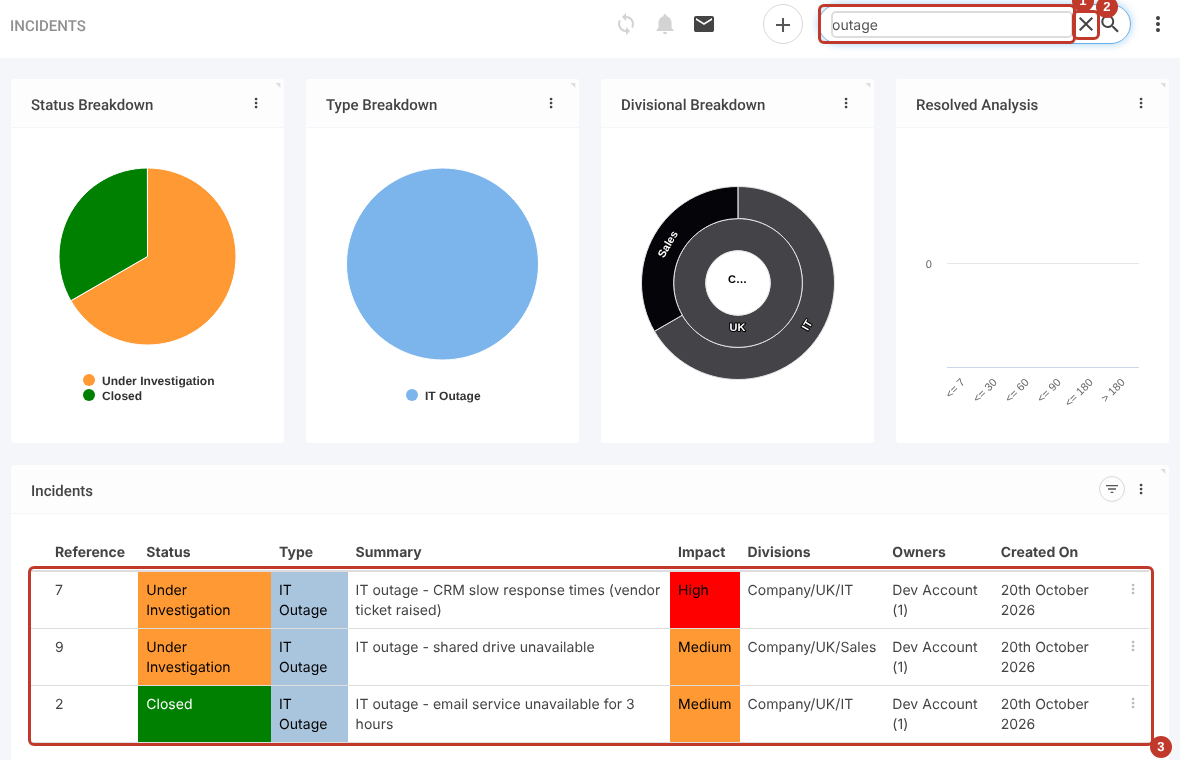
- Click in the Search box (1) and type your word, for example outage.
- Press Enter.
The grid (3) and charts show only records that contain the word. To remove the search, click the X (2) in the search box.
Filtering the Record Grid #
- Click the Filter icon at the top right of the grid (1).
- A filter box appears under each column that can be filtered (2).

- Start typing in a filter box, for example Data under Type. Matching values are suggested as you type (1).
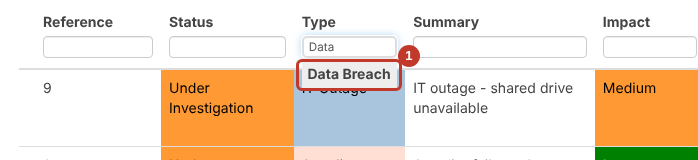
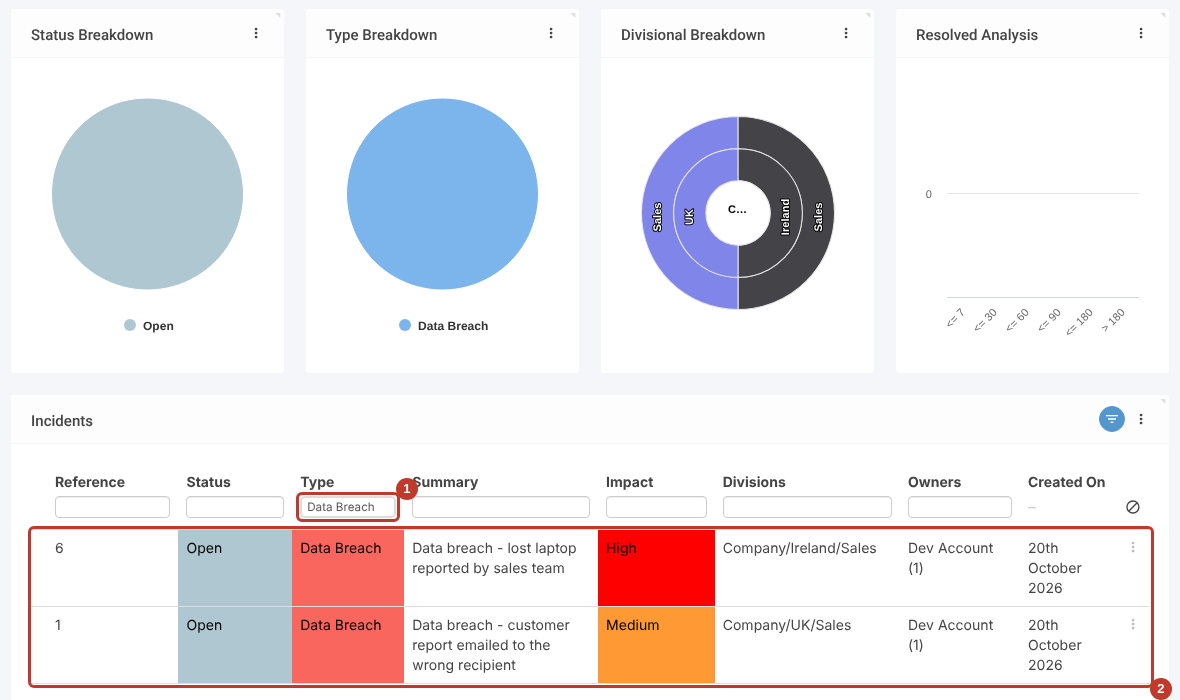
- Click a suggestion. The grid (2) and the charts are filtered to records with that value (1).
Combining Grid Filters #
Grid filters also add together. Here the Type filter (1) and an Impact filter of Medium (2) leave a single incident (3).

Clearing Grid Filters #
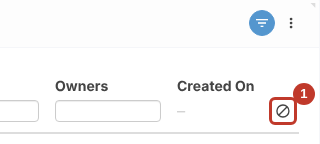
Click the Clear icon at the right of the filter boxes (1) to remove all the grid filters.
Leaving Filter Mode #
Click the Filter icon again (1) to hide the filter boxes.
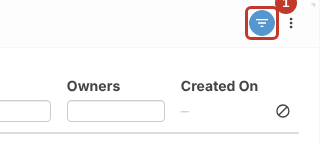
Note: Hiding the filter boxes doesn’t remove the filters. Clear them first if you want to see all records again.


