
 Doc Summary

What the most common Symbiant error messages mean and what to do about them.
Applies to: All users · Module: All
Capturing an Error Message for Support #
When something goes wrong, the bell icon at the top right turns orange. Click it to read the full message. Each entry shows where it happened (for example modules incidents [new]), the time, the type of message and its details.
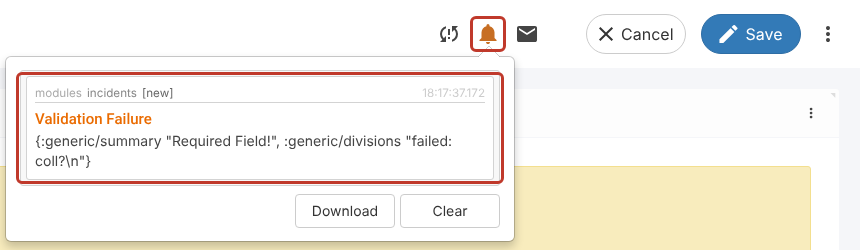
Use Download to save the messages as a file, or copy the text, and include it when you raise a support ticket. Clear empties the list. Most messages explain themselves; the sections below cover the common ones.
Invalid! (Validation Failure) #
Message: “Invalid! Please review the highlighted problems.” The bell shows it as Validation Failure, listing the fields concerned (for example generic/summary "Required Field!").
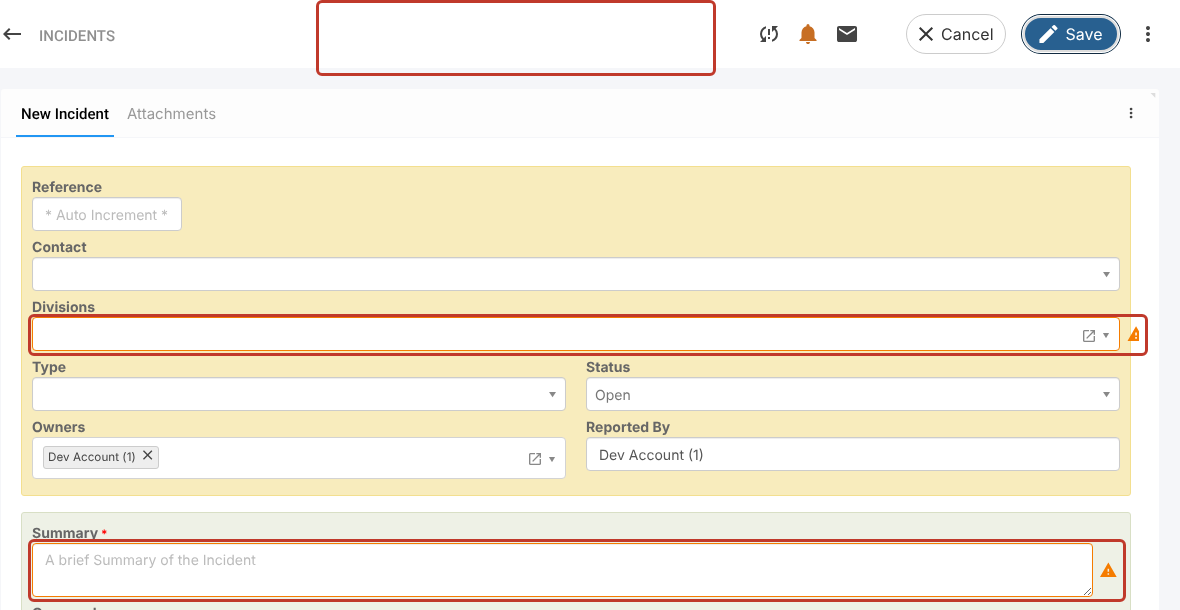
Cause: One or more required fields on the form are empty.
Fix: Look for fields with an orange border and a warning triangle and fill them in. Fields with a red asterisk (*) are always required, but some (such as Divisions in Incidents) are required without an asterisk. Then save again.
Permission Denied #
Message: “Permission Denied. You are not authorised to perform the requested action.”
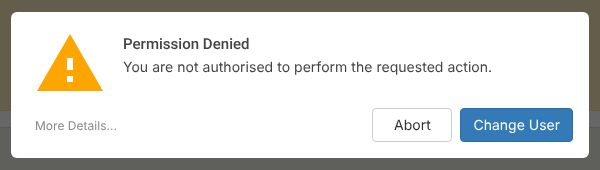
Cause: You tried to open or change something your account can’t access. A common cause is opening Symbiant from a saved link or bookmark to a page deep inside the site (for example yourcompany.symbiant.cloud/modules/incidents/new) instead of the site’s base address.
Fix:
- Click Abort and carry on, or open Symbiant from its base address (
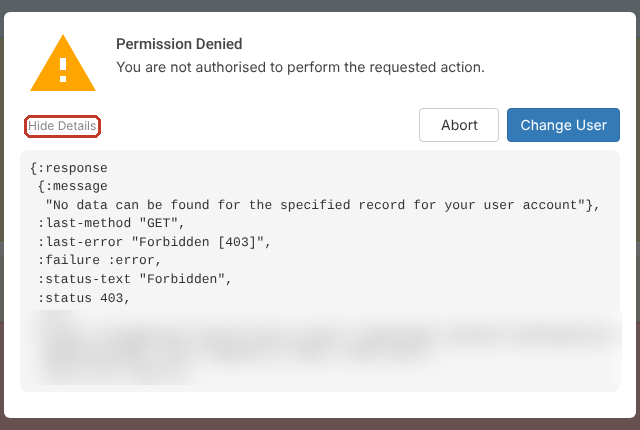
yourcompany.symbiant.cloud) and navigate from the sidebar. - Click More Details… at the bottom left to see exactly what was blocked. Copy this into your support ticket if you need help.
- If you believe you should have access, contact your system administrator.
Resources are not Available for your Device or at your User Level #
Message: “Resources are not available for your device or at your user level.”
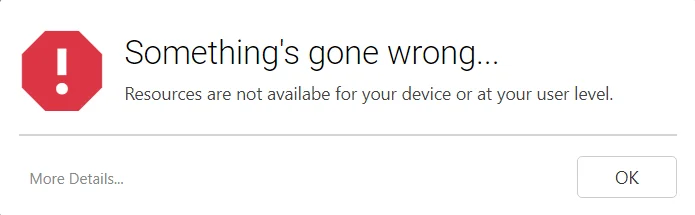
Cause: Your role doesn’t include the module or screen you tried to open. For example, you opened the Controls module but only have a role in Register Risks.
Fix: Click More Details… to see what was requested, then ask your system administrator to check your roles. See Limiting Access of Users in Symbiant.
Data Conflict! #
Message: “Data Conflict! Your data is out of sync with the server, the record you are trying to update has been updated by another user, reload data and try again.”
Cause: Someone else saved the same record, changing the same field, while you had it open.
Fix: Click reload data, review the other person’s change, click Insert to keep it alongside yours where appropriate, then save. See What Does “Data Conflict!” Mean? for the full steps.


