
 Doc Summary

How Symbiant decides which appetite a risk uses, and how the warning and breach levels work.
Applies to: All risk users; appetites are set by risk admins · Module: Register Risks
How the Fallback Works #
Every risk always has an appetite. Symbiant looks for it in this order:
- The individual appetite chosen on the risk’s Scores tab.
- If there isn’t one, the Appetite Value of the risk’s Risk Category.
- If the category has none (or no category is chosen), the default Appetite Value of the risk’s Score Set.
On the risk’s Scores tab, the Risk Appetite section shows all three: the individual Appetite Score at the top, then the category and score set values it would fall back to. In this example the risk has no individual appetite, so it uses its category’s appetite of 12.
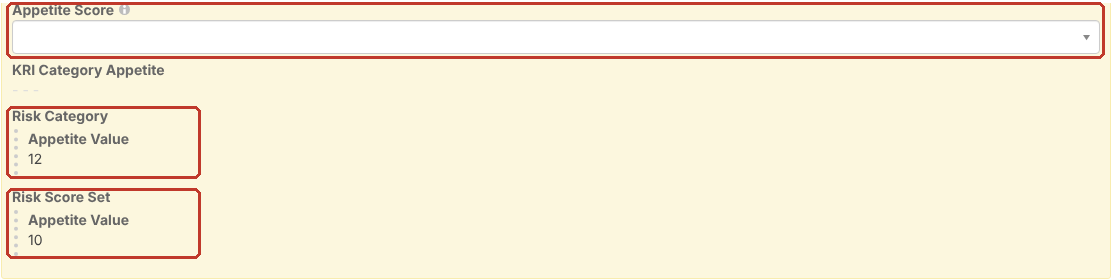
Individual Risk Appetite #
Choose an Appetite Score on the risk’s Scores tab. The options come from the risk’s Score Set. See Scoring a Risk.
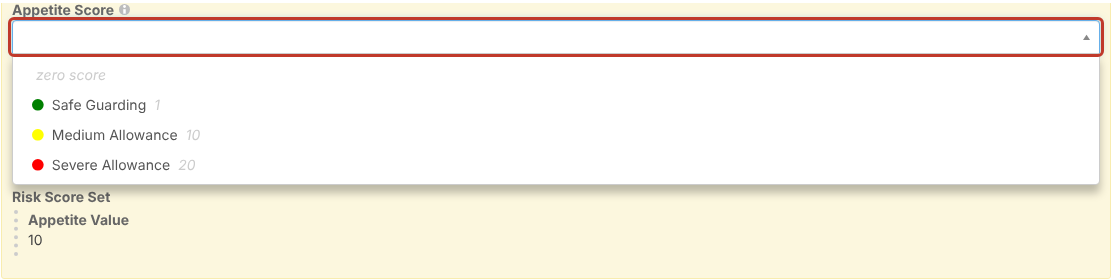
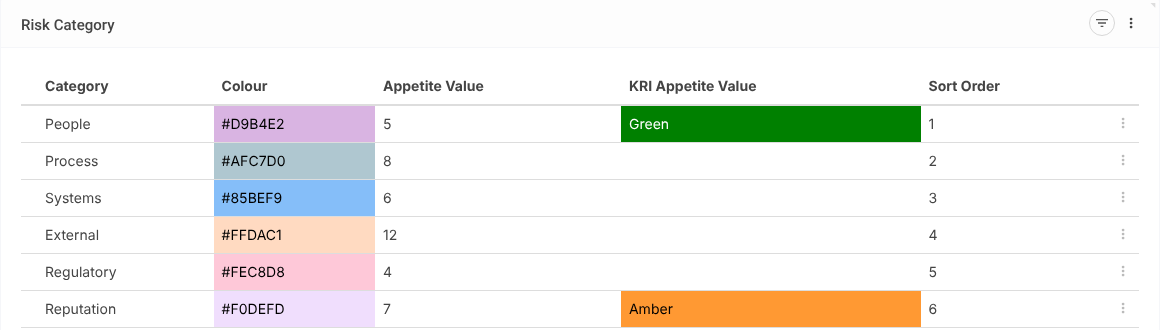
Risk Category Appetite #
Risk admins give each category an Appetite Value in Register Risks > Category. See Managing Risk Categories.
Score Set Appetite #
Risk admins set the default appetite and the individual appetite options on the Score Set’s Appetites tab (Register Risks > Score Set).
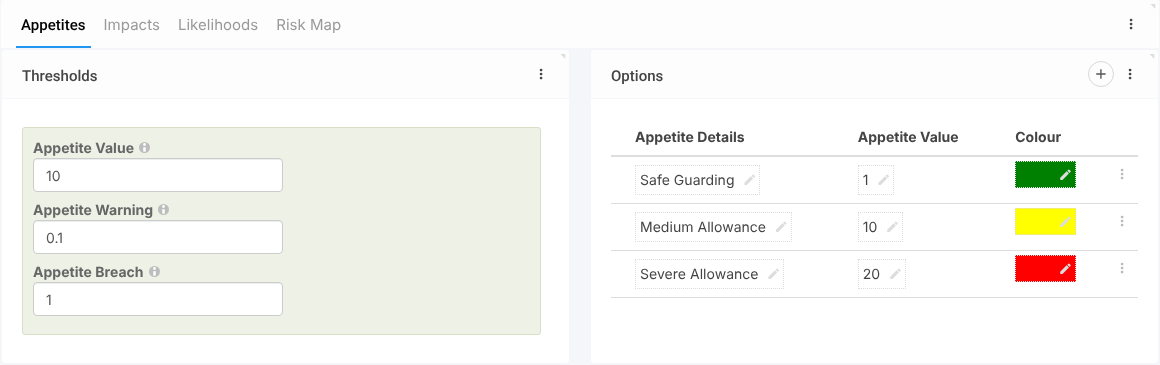
- Appetite Value: the default used when neither the risk nor its category has an appetite.
- Appetite Warning: how far over appetite a score can go before it shows amber. 0.1 means amber as soon as it is over appetite.
- Appetite Breach: how far over appetite before it shows red. 1 means red once it is a full point over.
- Options: the appetite choices users see on a risk, each with a value and colour.
See Modifying a Risk Score Set.


