Doc Summary

How to score a risk and set its appetite.
Applies to: Users who can edit the risk · Module: Register Risks
Opening the Scores Tab #
Open the risk from the Risk Registers dashboard, then select the Scores tab in the lower half of the screen.

Inherent and Residual #
Under Inherent, choose an Impact and Likelihood for the risk with no controls in place. Under Residual, choose the Impact and Likelihood with your current controls in place. The Score is worked out for you (impact × likelihood) and coloured using the risk map.
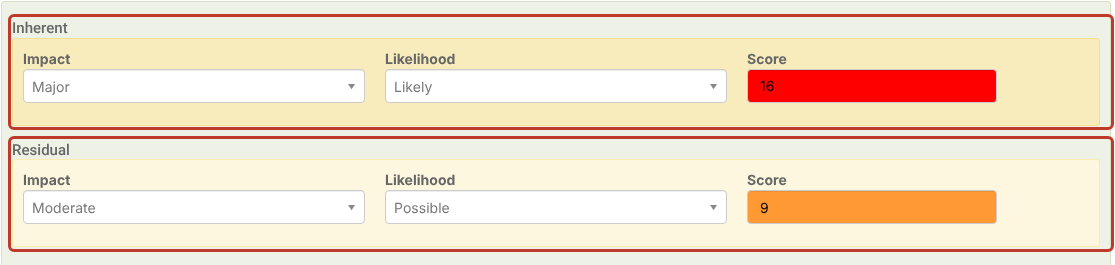
The options you can pick come from the risk’s Score Set. See Modifying a Risk Score Set.
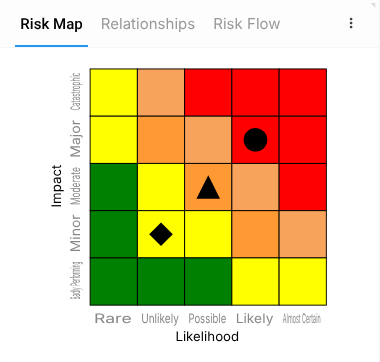
The Risk Map at the top right updates as you score: the circle is the inherent score, the triangle the residual score and the diamond the target.
Target #
Under Target, choose the Impact and Likelihood you want the risk to reach.

Appetite #
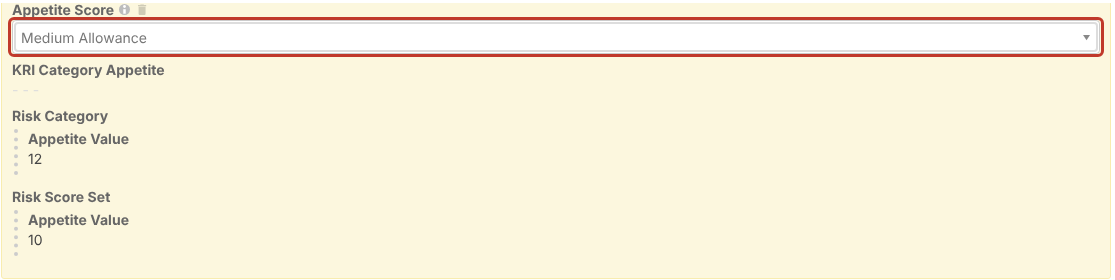
Under Risk Appetite, open Appetite Score to choose an individual appetite for this risk. The options and their values come from the Score Set.
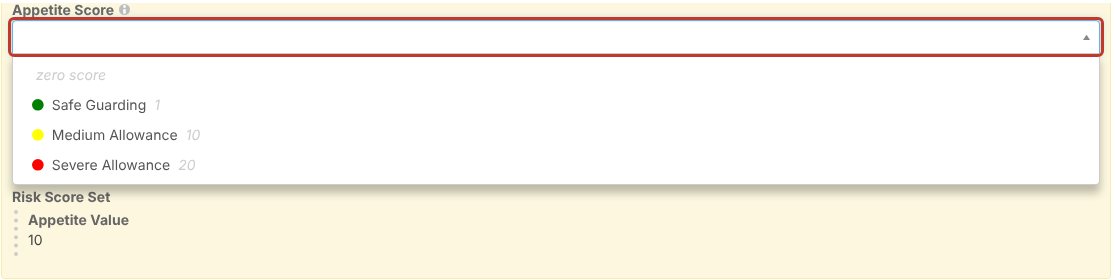
An individual appetite takes priority over the Risk Category appetite and the Score Set default, which are shown underneath for reference. See Risk Appetite Logic.
The risk’s DFA (distance from appetite) is its residual score minus its appetite. See What is DFA?.
Saving the Scores #
Select Save at the top right to save and close, or the pencil next to it (Save and edit) to save and stay on the risk.