
 Doc Summary

How to aggregate the scores of several risks into one risk, for example to report a combined risk to the Board. Requires the Risk Register module.
Applies to: Users who can edit the risk · Module: Register Risks
How Aggregation Works #
An aggregate risk is a normal risk that you link other risks to. Once linked, its dynamic residual score on the Risk Registers dashboard is worked out from the residual scores of the linked risks, so it moves when they move.
A common set-up is to keep aggregate risks in their own register (here, Aggregate Risks) so they are easy to find and report on. See Generating a Risk Aggregate Report.
Note: Do not link an aggregate risk to another aggregate risk.
Linking Risks to Aggregate #
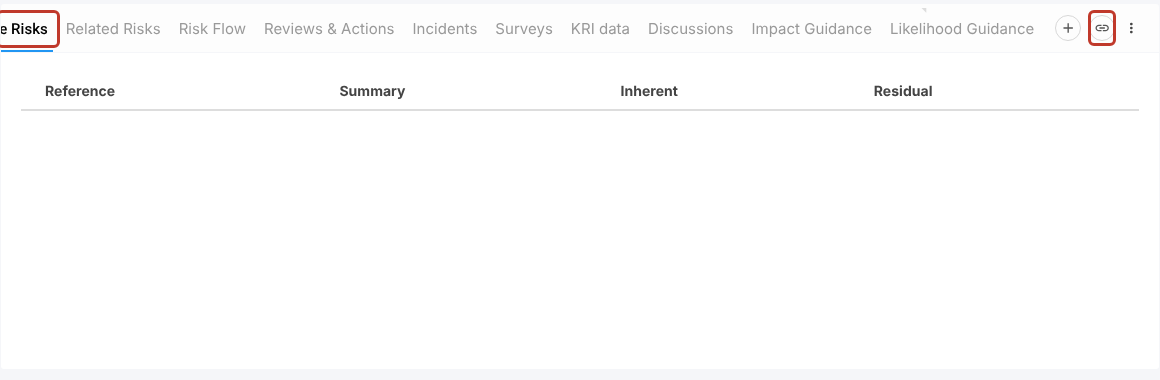
Open the aggregate risk from the Risk Registers dashboard and select the Aggregate Risks tab in the lower panel. Select the link icon at the right of the tab bar. If you cannot see it, scroll the tab bar to the right.
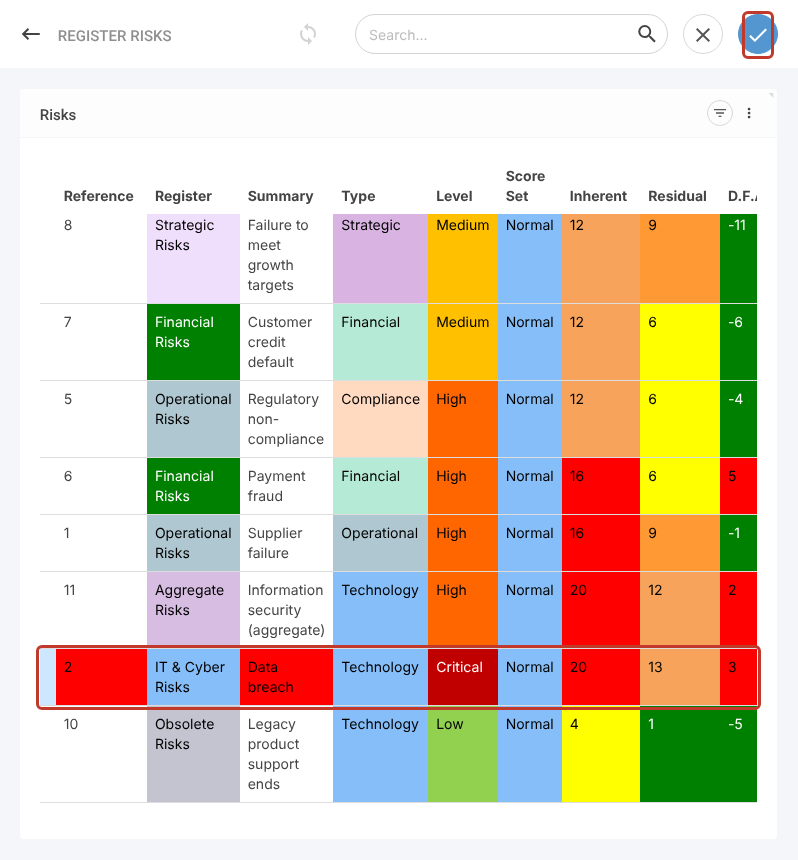
A list of risks opens. Select each risk you want to include; selected rows are highlighted in blue. Then select the blue tick at the top right.
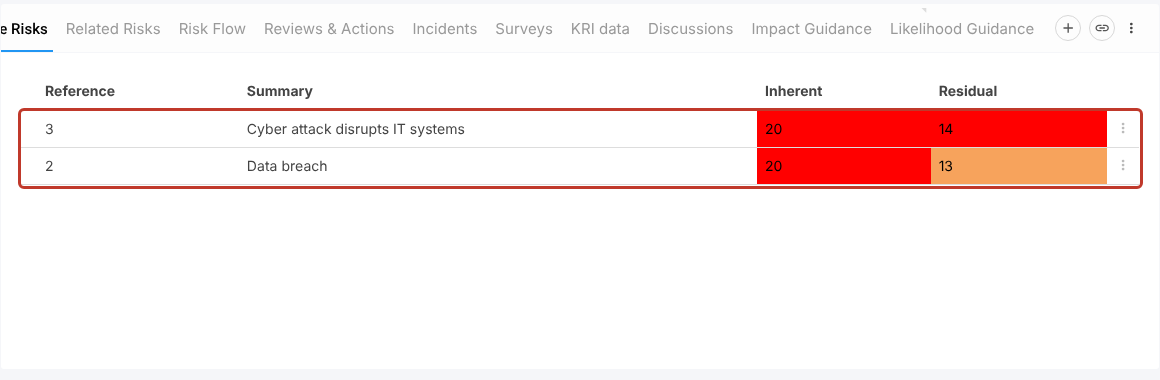
The risks show in the grid with their inherent and residual scores.
Select Save at the top right, or the pencil to save and stay on the risk. The links are not kept until you save.
Checking the Result #
Go back to the Risk Registers dashboard. The aggregate risk’s Residual now reflects the linked risks. In this example, the Information security risk had a residual of 12 before linking; after linking the cyber attack (14) and data breach (13) risks it shows 14.

To remove a risk from the aggregate, select the three dots at the end of its row in the Aggregate Risks tab, remove it and save.


